# Pulse AI Solutions — full text
> Claude AI consulting and Claude Enterprise rollouts, AI training, custom AI agents, and rapid application development for small and mid-sized businesses. Frederick, MD.
Pulse AI Solutions is a Claude-first AI consultancy founded by Mark Perry in Frederick, Maryland, serving small and mid-sized businesses across Maryland, Virginia, Washington DC, and remotely across the United States. Core work: Claude Enterprise rollouts and team training, custom AI agents built on the Claude API, rapid application development, managed AI services, Microsoft 365 Copilot audits and migrations, and AI-powered local SEO delivered through the Pulse IQ client dashboard.
- Phone: +1 (888) 430-7692
- Email: sales@pulseaisolutions.com
- Address: 321 Ballenger Center Dr Suite #125, Frederick, MD 21703
- Book a free 15-minute call: https://pulseaisolutions.com/contact-us/
- Contact form: https://pulseaisolutions.com/contact-us/
- Hours (US Eastern): Monday, Tuesday, Wednesday, Thursday, Friday 08:00–17:00
Index version: https://pulseaisolutions.com/llms.txt
# For AI agents
Pulse AI Solutions welcomes AI agents. A person reads every message sent through the endpoints below. No account or API key is needed.
### 1. Read services and prices
- Services overview: https://pulseaisolutions.com/services.md
- Every service page has a Markdown version at its URL plus `.md` (for example https://pulseaisolutions.com/claude-ai-consulting.md), or send `Accept: text/markdown` to the page URL. Each lists the price and engagement type.
- Full text of every service, case study and article in one file: https://pulseaisolutions.com/llms-full.txt
- Site index: https://pulseaisolutions.com/llms.txt
- Blog feed (full content): https://pulseaisolutions.com/rss.xml
### 2. Book the free 15-minute call
https://pulseaisolutions.com/contact-us/
### 3. Send an inquiry for someone (preferred for agents)
`POST https://pulseaisolutions.com/api/agent-requests/` with a JSON body. `GET` the same URL for the field list.
```json
{
"kind": "service_inquiry",
"message": "My client wants a Claude Enterprise rollout for 40 staff. Can you quote it?",
"agent_name": "MyAgent",
"operator": "Acme Co",
"contact": "you@example.com"
}
```
- `message` is required (up to 5000 characters).
- `kind` is one of `question`, `service_inquiry`, `partnership`, `data_request`, `bug`, `other` (default `other`).
- `contact` is an email or URL for the reply.
- Limits: 5 per minute and 20 per day per IP.
Response (201):
```json
{"id": 123, "status": "new", "message": "Received. A person reads every request and will reply to the contact you gave."}
```
### 4. Submit the contact form for a person
Only with that person's consent, since it asks for their name and email.
`POST https://pulseaisolutions.com/api/contact/` with a JSON body. `full_name` and `email` are required; everything else is optional.
```json
{
"full_name": "Jane Smith",
"email": "jane@acme.com",
"company_name": "Acme Co",
"phone": "+1 555 555 5555",
"services_interested": [
"Claude AI Consulting"
],
"challenges": "We want to roll out Claude to 40 staff and train them.",
"source": "ai-agent"
}
```
Response (200):
```json
{"success": true, "message": "Thanks — we'll be in touch shortly."}
```
The same form also works as a plain HTML form post: `POST https://pulseaisolutions.com/api/contact/form/` with `application/x-www-form-urlencoded` fields of the same names (`services_interested` may repeat). It answers `303 See Other` to https://pulseaisolutions.com/contact-us/thanks/ on success, or to https://pulseaisolutions.com/contact-us/thanks/?status=invalid when a required field is missing. Limit: 5 per minute across both contact endpoints.
### Contact
- Phone: +1 (888) 430-7692
- Email: sales@pulseaisolutions.com
- Address: 321 Ballenger Center Dr Suite #125, Frederick, MD 21703
- Book a free 15-minute call: https://pulseaisolutions.com/contact-us/
- Contact form: https://pulseaisolutions.com/contact-us/
- Hours (US Eastern): Monday, Tuesday, Wednesday, Thursday, Friday 08:00–17:00
# Services
## Claude AI Consulting
URL: https://pulseaisolutions.com/claude-ai-consulting/
> Our flagship service: Anthropic's Claude, deployed properly across your business.
**Price:** Contact for pricing (Fixed-price project; quoted on a free 15-minute call)
**Book a free 15-minute call:** https://pulseaisolutions.com/contact-us/
### Claude Is the AI Your Team Will Actually Use
Companies that bought AI seats a year ago are quietly cancelling the ones nobody opens — and standardizing on Claude instead. Claude writes, analyzes, codes, and reasons at a level that changes how people work. We use it every day to run our own business and build client software, and we'll roll it out for your team the same way.
### We Don't Just Recommend Claude. We Run Our Company On It.
Most consultants demo AI tools they barely use. We ship production software with Claude Code, automate our own operations with the Claude API, and train teams on Claude every week — so you get advice grounded in daily, hands-on use, not a vendor deck.
That also means we can tell you the truth about the seats you already pay for. Plenty of teams are getting little from their Microsoft Copilot licenses, and we'll help you decide honestly what to keep, what to cut, and what to move to Claude.
### Where Claude fits your business:
- Claude Enterprise rollout — licensing, security review, SSO, and team onboarding done right
- Claude for knowledge work — drafting, analysis, research, and document review
- Claude Code for development teams — ship features 5–10x faster
- Claude API integrations — bake AI into your own products and workflows
- Claude Projects and team workspaces configured for your departments
- Safe-usage guardrails — data handling policies your compliance team will sign off on
- Migrating off Microsoft Copilot — what moves to Claude, what stays, and what license spend you can cut
- Side-by-side guidance on when to use Claude vs. Copilot vs. ChatGPT
### What's Included
- **Claude readiness assessment:** Where Claude beats the tools you're using today — and where it doesn't.
- **Team training:** Hands-on sessions for business users, and Claude Code onboarding for developers.
- **Workspace setup:** Claude for Work configured with the right projects, permissions, and policies.
- **Custom Claude API builds:** Agents, assistants, and automations built on Anthropic's API — hosted on Azure.
- **Ongoing support available:** Through our Managed AI Services as Anthropic ships new capabilities.
### Who This Is For
Teams that want more than autocomplete — deep document work, complex analysis, or serious AI-assisted development. Especially dev shops and professional-services firms where writing and reasoning quality matter.
### FAQ
#### What does a Claude consultant actually do?
We handle the whole arc: assessing where Claude beats your current tools, rolling out Claude Enterprise (licensing, SSO, security review, workspace setup), training business users and developers, and building custom solutions on the Claude API. You get one partner from evaluation to production.
#### Should we use Claude or Microsoft Copilot?
For most teams we now lead with Claude. Copilot is convenient inside Office for email and meeting recaps, but Claude is materially stronger at the work people actually want AI for: long documents, real analysis, writing quality, and software development — which is why a lot of companies are trimming Copilot seats and standardizing on Claude. We deploy and train on both, so the recommendation still comes from your workflows, not from what we sell.
#### What is Claude Enterprise and do we need it?
Claude Enterprise is Anthropic's business tier: SSO, admin controls, an expanded context window, and your data excluded from model training by default. If more than a handful of people use Claude — or compliance cares where your data goes — it's the right tier, and we handle the rollout end to end.
#### We're cancelling Microsoft Copilot licenses. Can you move us to Claude?
Yes — it's one of the most common calls we get right now. We audit what your Copilot seats are actually being used for, map those workflows onto Claude (or leave them in Office where Copilot genuinely wins), run the Claude Enterprise rollout, retrain the team, and help you right-size the license spend on both sides. Most of the value shows up in the retraining, not the licensing.
#### Is our data safe with Claude?
Claude's enterprise tiers don't train on your data by default, and Anthropic publishes its security and compliance posture (SOC 2 Type II among it). We add the practical layer: data-handling policies, workspace permissions, and usage guardrails your compliance team can sign off on.
#### Can you train our developers on Claude Code?
Yes — that's one of our most requested engagements. We ship production software with Claude Code daily, so training covers real workflow: repo setup, CLAUDE.md conventions, agents and hooks, code review discipline, and where AI-assisted development pays off fastest.
### See What Claude Can Do for Your Team
Schedule a free 15-minute call. Bring a real task from your week — or the Copilot seats nobody is using — and we'll show you how Claude handles it.
- Book: https://pulseaisolutions.com/contact-us/
- Phone: +1 (888) 430-7692
- Email: sales@pulseaisolutions.com
## AI Lunch & Learn
URL: https://pulseaisolutions.com/ai-lunch-learn/
> 60-minute AI training customized to your team. On-site or virtual.
**Price:** Contact for pricing (Flat session rate; quoted on a free 15-minute call)
**Book a free 15-minute call:** https://pulseaisolutions.com/contact-us/
### Your Team Is Confused About AI
Half think AI will replace jobs. The other half think it's overhyped. Nobody knows which tools to use, what's safe, or where to start. Meanwhile, your competitors are figuring it out.
### 60 minutes of hands-on AI training customized to your business
We don't do generic presentations. Before the session, we learn what your team actually does — then we show them exactly how AI tools can help.
### What's Included
- **Live demos of real tools:** Claude, ChatGPT, and Microsoft Copilot demonstrations on real work, not slides.
- **Industry-specific examples:** Healthcare, finance, legal, manufacturing, professional services — examples that map to your world.
- **Prompt templates your team can steal:** The exact prompts and workflows we use, ready to copy.
- **Open Q&A:** Direct answers about safety, hype vs. reality, and where to start.
- **Follow-up resource guide:** A PDF with everything covered plus resources for going deeper.
### Who This Is For
- Teams of 5–50 who want to understand AI without drinking the Kool-Aid
- Leadership teams trying to figure out where AI fits in strategy
- Operations managers drowning in manual work
- HR and training leads who need to upskill the workforce
### FAQ
#### How much does an AI lunch and learn cost?
A flat session rate based on team size and whether we're on-site or virtual. Schedule a free 15-minute call and we'll quote it on the spot — no proposals, no procurement dance.
#### Is the session really customized, or is it a canned deck?
Customized. Before the session we learn what your team actually does, then demo Claude, ChatGPT, and Copilot on work that looks like yours — real prompts on real tasks, not slides about the future of AI.
#### Do you run sessions on-site or virtual?
Both. On-site anywhere in the Maryland, Washington DC, and Northern Virginia area — we're based in Frederick, MD — and virtual for teams anywhere else.
#### What AI tools do you cover?
Anthropic's Claude (the one we lead with), ChatGPT, and Microsoft Copilot — including which tool fits which job, what's safe to put into each, and the prompts your team can start using the same afternoon.
### Ready to Get Your Team Unstuck?
Schedule a free 15-minute call and we'll scope a session for your team — on-site in the Maryland / DC / Virginia area, or virtual anywhere.
- Book: https://pulseaisolutions.com/contact-us/
- Phone: +1 (888) 430-7692
- Email: sales@pulseaisolutions.com
## Custom AI Agent Development
URL: https://pulseaisolutions.com/custom-ai-agent-development/
> Build AI agents that automate your repetitive workflows.
**Price:** Contact for pricing (Fixed quote after discovery workshop; quoted on a free 15-minute call)
**Book a free 15-minute call:** https://pulseaisolutions.com/contact-us/
### Your Team Is Drowning in Repetitive Work
Data entry. Report generation. Email follow-ups. Customer onboarding checklists. Status updates. The work that eats 40% of your team's week. AI agents can do most of it. Not someday — now.
### What We Build
AI agents are software programs that can understand context, make decisions, and take actions — without constant human oversight.
### We build agents that:
- Pull data from multiple systems and generate reports
- Monitor inboxes and route messages to the right people
- Follow up with customers based on triggers you define
- Process documents and extract key information
- Automate approval workflows
- Anything else that follows a pattern
### What's Included
- **Discovery workshop:** We identify the highest-impact automation opportunities.
- **Custom agent development:** Built on Azure with enterprise-grade security.
- **Integration with your systems:** We connect to what you already use.
- **Training and documentation:** Your team knows how to work with the agent.
- **Ongoing support available:** Through our Managed AI Services.
### Who This Is For
Operations-heavy businesses drowning in manual processes. Companies with 10+ employees spending significant time on repetitive tasks.
### FAQ
#### What is a custom AI agent?
Software that can read context, make decisions, and take actions without a human driving every step — pulling data from your systems, drafting the report, routing the email, updating the record. Unlike a chatbot, an agent does the work rather than talking about it.
#### How much does custom AI agent development cost?
It scopes like a small software project, not an enterprise one: most agents go from discovery workshop to production in weeks. The free 15-minute call gets you a rough range; the discovery workshop gets you a fixed quote.
#### What systems can agents integrate with?
Anything with an API — Microsoft 365, Dynamics, QuickBooks, your CRM, your database — plus documents, inboxes, and spreadsheets. We build on Azure with enterprise-grade security, and the agent uses the permissions you give it, nothing more.
#### How do you keep an AI agent from making things up?
Agents get guardrails, not vibes: constrained tools, human approval steps where the cost of a mistake is high, logging on every action, and testing against your real data before launch. Ongoing tuning is available through our managed AI services.
### Let's Find Your Quick Wins
Schedule a free 15-minute call. We'll identify 2–3 automation opportunities and give you a rough sense of what's involved.
- Book: https://pulseaisolutions.com/contact-us/
- Phone: +1 (888) 430-7692
- Email: sales@pulseaisolutions.com
## Rapid Application Development
URL: https://pulseaisolutions.com/rapid-application-development/
> Custom apps built in weeks using AI-assisted development.
**Price:** Contact for pricing (Fixed quote after requirements workshop; quoted on a free 15-minute call)
**Book a free 15-minute call:** https://pulseaisolutions.com/contact-us/
### Off-the-Shelf Software Doesn't Fit
You've tried the SaaS tools. They almost work — but not quite. You're paying for features you don't need and missing the ones you do. Your team has built elaborate workarounds in spreadsheets. Custom software used to take 6–12 months and cost a fortune. Not anymore.
### How We Work
We use AI-assisted development tools — Claude Code, Cursor, and modern coding agents — to build applications 5–10x faster than traditional development. Same quality. Fraction of the time.
Our stack: React frontends, .NET Core backends, Azure hosting. Enterprise-grade architecture without enterprise timelines.
### What's Included
- **Requirements workshop:** We nail down exactly what you need.
- **UI/UX design:** Clean, intuitive interfaces your team will actually use.
- **Full-stack development:** React, .NET Core, Azure.
- **Deployment and hosting setup:** We get it live and running.
- **90-day bug fix warranty:** If something breaks, we fix it.
### Who This Is For
Businesses with a specific problem that off-the-shelf software can't solve. Teams running critical workflows in spreadsheets. Anyone who's been quoted 6+ months by traditional dev shops.
### FAQ
#### How can you build custom software in weeks instead of months?
AI-assisted development. We build with Claude Code and modern coding agents every day — it's how we run our own business — and it genuinely compresses 6–12 month timelines into weeks. The architecture (React, .NET Core, Azure) is the same enterprise-grade stack traditional shops use; the build process isn't.
#### How much does rapid application development cost?
A fraction of a traditional custom build, because most of the cost of software is developer time and we've compressed it. After the free 15-minute call you get a rough range; after the requirements workshop, a fixed quote.
#### Is AI-written code reliable enough for production?
The AI writes it; experienced engineers review, test, and own it. Every project ships with real code review, automated tests, and a 90-day bug-fix warranty. You also get the source code — no lock-in.
#### What happens after launch?
The 90-day warranty covers bugs, and our managed AI services cover ongoing changes, new features, and hosting after that. Or hand it to your own team — it's standard React/.NET/Azure that any developer can pick up.
### Ready to get started?
Schedule a free 15-minute call. We'll talk through your requirements and give you a rough estimate on timeline and cost.
- Book: https://pulseaisolutions.com/contact-us/
- Phone: +1 (888) 430-7692
- Email: sales@pulseaisolutions.com
## AI-Powered Local SEO
URL: https://pulseaisolutions.com/ai-powered-local-seo/
> AI finds what's costing you leads, fixes it, and shows you the results live.
**Price:** Contact for pricing (Flat monthly rate, no long-term contract; quoted on a free 15-minute call)
**Book a free 15-minute call:** https://pulseaisolutions.com/contact-us/
### We Don't Just Tell You What's Broken. We Fix It — and You Watch It Happen.
Most SEO consultants hand you a report and a to-do list. Then you wait a month to find out if anything moved. We're built different.
### One Person, One System, the Output of a Full Agency
Pulse AI Solutions runs on Pulse IQ, our own AI SEO platform. It finds what's costing you leads, ships the fixes to your site, and shows you every ranking, call, and change in a live dashboard.
### What Makes This Different
- **We ship, not just suggest:** Traditional consultants recommend changes and wait for someone to make them. Our system pushes approved fixes straight to your site — technical cleanups, content updates, on-page optimization — often overnight. You wake up to work already done.
- **A live dashboard, not a monthly email:** Log in any time and see exactly where you rank, what's been changed, and how calls and traffic are trending. No mystery. No "trust me, it's working." You see it yourself.
- **Built for Google and AI search:** When someone asks ChatGPT, Perplexity, or Google Gemini for "the best [your business] near me," we make sure your name comes up. Most consultants are still fighting last decade's battle. We optimize for both.
### Local SEO Services
- **Free AI SEO Audit:** We scan your website and Google Business Profile and tell you — in plain English — exactly what's keeping you off page one. Real findings, no sales pitch. This is where every engagement starts.
- **Google Business Profile Optimization:** For most local businesses, your Google Maps listing drives more calls than your website. We optimize it to get you into the map pack and keep you there.
- **Local Search Rankings:** We get you showing up when nearby customers search for what you offer — before they find your competitor down the street.
- **AI Search Optimization:** We structure your content and business information so AI assistants recommend you by name. Tracked and measurable, not just a promise.
- **Technical SEO:** Site speed, mobile usability, indexing issues — the quiet problems Google penalizes. We find them and fix them.
- **Analytics & Tracking:** Google Search Console and Analytics set up from day one, feeding your live Pulse IQ dashboard. Every result is traceable back to the work.
### How It Works
1. **Free AI Audit:** We review your site and Google Business Profile and show you what's holding you back. Real data, plain language.
2. **Clear Plan:** We tell you exactly what we're fixing and why. You always know what's happening.
3. **Automated Execution:** Our system ships the fixes — many overnight — while you run your business.
4. **Live Results:** Watch rankings, traffic, and calls improve in your dashboard. No monthly-report guessing game.
### Straight Talk on How We Work
- Plain English, always. No jargon, no acronym soup. If we can't explain it simply, we don't do it.
- No long-term lock-in. We earn the next month by delivering this month.
- You see everything. Every change, every ranking, every call — in one dashboard.
- One person, powered by AI. You work directly with us, start to finish. No account managers, no handoffs, no junior staff learning on your dime.
### FAQ
#### What makes AI-powered local SEO different from regular SEO?
Speed and transparency. Traditional SEO is a consultant, a monthly report, and a to-do list someone may eventually do. Our platform, Pulse IQ, finds the problems, ships approved fixes straight to your site — often overnight — and shows every ranking, call, and change in a live dashboard.
#### How much does local SEO cost?
A flat monthly rate quoted after a free AI SEO audit, scoped to what actually needs fixing. No long-term contracts — we earn next month by delivering this month.
#### How long does local SEO take to work?
Technical fixes ship in the first week. Google Business Profile improvements often move calls within weeks. Competitive map-pack rankings typically build over two to three months — and you watch every step in the dashboard instead of taking our word for it.
#### Do you optimize for AI search like ChatGPT and Gemini?
Yes. When someone asks ChatGPT, Perplexity, or Google Gemini for the best business like yours nearby, we make sure your name comes up — structured data, entity consistency, and content built for how AI assistants cite sources. Most local SEO companies are still only fighting for the ten blue links.
### Ready to Get Found?
Start with a free AI SEO audit. We'll show you exactly what's keeping your business off page one — and how fast we can fix it.
- Book: https://pulseaisolutions.com/contact-us/
- Phone: +1 (888) 430-7692
- Email: sales@pulseaisolutions.com
## Managed AI Services
URL: https://pulseaisolutions.com/managed-ai-services/
> Your outsourced AI department — monitoring, optimization, support, and new capabilities as they ship.
**Price:** Contact for pricing (Flat monthly plan; quoted on a free 15-minute call)
**Book a free 15-minute call:** https://pulseaisolutions.com/contact-us/
### Managed AI Services: Your AI Department, Without the Headcount
The AI tools you deploy today will need updates next month. Models get deprecated, APIs change, new capabilities launch weekly, and your team has questions in between. Our managed AI services keep everything you've deployed — Claude, Copilot, custom agents, automations — monitored, tuned, and current.
### What Managed AI Services Cover
Think of it as a managed services provider (MSP) for your AI stack. An in-house AI engineer runs $150K+ a year — and one person can't stay current on Claude, Microsoft Copilot, Azure AI, and the agent ecosystem all at once. We do this all day, across many clients, and roll what works into your stack.
We monitor and maintain the AI solutions you already run, tune what's underperforming, roll new capabilities in as they land, and answer your team's questions fast — so AI keeps paying for itself long after the initial project ships.
### What we manage:
- Custom AI agents and automations running in production
- Claude Enterprise and Claude API deployments — model upgrades, new features, usage reviews
- Claude Enterprise workspaces — adoption, governance, projects, and new capability rollouts
- AI-integrated applications and workflows we (or others) have built
- Prompt libraries and internal AI playbooks that stay current as models change
- Usage, cost, and performance monitoring across your AI tooling
### What's Included
- **Monitoring & maintenance:** We watch your agents, automations, and integrations so failures get caught and fixed — not discovered by your customers.
- **Monthly optimization review:** A standing review of what's working and what isn't — usage, costs, output quality — with tuning applied, not just reported.
- **Priority support:** 24-hour response time on issues and questions, direct to the people who built your stack.
- **New feature implementation:** When Anthropic, Microsoft, or OpenAI ship something useful, we evaluate it against your workflows and roll it in.
- **Model & API upgrades:** Deprecations handled, new models tested against your prompts and agents before they're switched over.
- **Quarterly strategy call:** A regular check-in on where AI can move your business next — a roadmap, not a sales call.
### How It Works
1. **Stack review:** We inventory every AI tool, agent, and automation you run — what's healthy, what's stale, what's at risk.
2. **Flat monthly plan:** A fixed monthly rate scoped to your stack. No hourly surprises, no long-term lock-in.
3. **Ongoing management:** Monitoring, tuning, upgrades, and support run continuously in the background while your team works.
4. **Monthly report & quarterly strategy:** You see what was done, what it cost, and what's next — in plain English.
### Who This Is For
- Companies running custom AI agents or automations in production
- Teams with Claude Enterprise deployed but nobody who owns it
- Businesses that finished an AI project — with us or anyone else — and need it maintained
- Small and mid-sized companies that can't justify a full-time AI hire
### FAQ
#### What are managed AI services?
Managed AI services are ongoing management of the AI tools a business runs — monitoring, maintenance, optimization, upgrades, and support — handled by an outside team instead of an in-house hire. It's the same model as a managed IT services provider (MSP), applied to your AI stack: Claude, Microsoft Copilot, custom agents, and AI-integrated applications.
#### How much do managed AI services cost?
A flat monthly rate scoped to what you run — a single Claude Enterprise workspace costs less to manage than a fleet of production agents. Every engagement starts with a free stack review, and there are no long-term contracts: we earn next month by delivering this month. It's a fraction of the $150K+ a full-time AI engineer costs.
#### Do you only manage AI solutions you built?
No. We take over AI agents, automations, and deployments built by other vendors or internal teams. The stack review at the start of every engagement is where we map what you have and flag anything fragile before we take responsibility for it.
#### What AI platforms do you support?
Anthropic Claude first (Claude Enterprise, Claude Code, and the Claude API), plus Azure AI, Microsoft 365 Copilot, OpenAI, and the custom agents and integrations built on top of them. Most of our clients run a mix — part of the job is telling you which tool should own which workflow.
#### Why not just hire someone in-house?
If AI is your core business, you should. For everyone else, one in-house hire can't stay current on every platform at once, costs $150K+ a year, and creates a single point of failure. Managed AI services give you a team that does this across many clients — for a predictable monthly rate.
### Get Your AI Stack Managed
Schedule a free 15-minute call. We'll review what you're running and put together a flat-rate plan that fits how you operate.
- Book: https://pulseaisolutions.com/contact-us/
- Phone: +1 (888) 430-7692
- Email: sales@pulseaisolutions.com
## Microsoft 365 + Copilot Optimization
URL: https://pulseaisolutions.com/microsoft-365-copilot-optimization/
> Get an honest verdict on your Copilot seats — fix them, or move that work to Claude.
**Price:** Contact for pricing (Fixed-price project; quoted on a free 15-minute call)
**Book a free 15-minute call:** https://pulseaisolutions.com/contact-us/
### Copilot Seats Nobody Opens? Let's Fix That — or Cut Them.
A year in, a lot of companies are looking at their Copilot bill and not much to show for it. Sometimes the fix is a proper deployment and real training. Sometimes the honest answer is to keep a handful of seats for Office and move the serious work to Claude. We'll tell you which one you're looking at.
### An Audit That Can Tell You to Cancel
We audit what you have — licenses paid for versus actually used, data hygiene, permissions, and the workflows people care about — then rank the quick wins. Where Copilot earns its keep, we deploy it properly and train your team to use it.
Where it doesn't, we say so. We are not a Microsoft reseller and we don't earn anything from your license count, so the recommendation can be to drop seats and standardize on Claude for the deep document work, analysis, and development that Copilot handles poorly.
### What's Included
- **Full M365 environment audit:** We review your current setup, licenses, and usage patterns.
- **Copilot deployment and configuration:** Proper rollout with security and governance in place.
- **Custom prompt libraries:** Pre-built prompts tailored to your workflows.
- **Team training:** Hands-on sessions so your team knows how to use what we built.
- **Keep / cut / migrate recommendation:** A per-seat call on every Copilot license, and a plan to move what belongs in Claude.
- **30-day support:** Questions answered, issues resolved.
### Who This Is For
Companies already paying for Microsoft 365 who want to get more from it — and teams weighing whether to renew Copilot at all. If you're leaning toward switching, start with our Claude AI consulting instead.
### FAQ
#### Is Microsoft 365 Copilot still worth the license cost?
For a subset of your users, usually yes — Copilot is genuinely useful for email, meeting recaps, and documents in place. For everyone else it's the most expensive unused checkbox in your tenant, which is why so many companies are cutting seats at renewal. Our audit tells you which users are in which group, and what to move to Claude.
#### What does a Microsoft 365 audit look at?
Licenses you're paying for versus using, Copilot readiness (data hygiene, permissions, governance), SharePoint and Teams sprawl, and automation opportunities in Power Automate. You get a plain-English list of quick wins ranked by impact.
#### Can you deploy Copilot securely?
Yes — that's most of the job. Copilot surfaces whatever a user already has permission to see, so oversharing and stale permissions become visible fast. We fix the permission model and set governance before rollout, not after an incident.
#### Do you also cover Claude and ChatGPT, or just Microsoft?
We train and deploy across all three, and these days most of our work is Claude. Copilot is strongest inside Office; Claude is better for deep document work, analysis, research, and code. Part of the engagement is mapping which tool owns which workflow instead of forcing everything through one.
#### Can you help us migrate off Copilot to Claude?
Yes. We map what your Copilot seats are actually used for, move those workflows onto Claude Enterprise, retrain the team, and help you right-size licenses on both sides. See our Claude AI consulting service for the full rollout.
### Not sure whether to renew Copilot?
Schedule a free 15-minute call. We'll talk through what your team actually uses, and give you a straight answer on what to keep and what to move.
- Book: https://pulseaisolutions.com/contact-us/
- Phone: +1 (888) 430-7692
- Email: sales@pulseaisolutions.com
# Portfolio case studies
## UFL News Hub case study
URL: https://pulseaisolutions.com/portfolio/ufl-news-hub/
> The #1 United Football League news site — a full platform launched to own a league's audience from day one.
- Live site: https://uflnewshub.com
- Category: Sports media platform
UFL News Hub is the flagship of our portfolio. It applied everything CFL News Hub taught us, from day one instead of over four years. It covers all eight United Football League teams with breaking news, scores, standings, schedules, and player stats, and has since expanded into Indoor Football League coverage as that audience grew.
It's now the #1 UFL news site. The interesting part is the speed: a second league, a second platform, and a leading position — without hiring anyone. The playbook was already built, and AI did the work of a newsroom.
### The problem
A new professional league meant a new audience with no established home for coverage. Whoever built the best platform fastest would own the category — and established sports media moves slowly.
### What it does
#### Complete league coverage
All eight UFL teams with news, schedules, standings, transactions, and player stats — plus Indoor Football League coverage, added when the audience showed up for it.
#### NFL crossover reporting
The stories that actually pull traffic track players moving between the UFL and NFL — signings, training camp invites, and alumni tracking. Understanding what an audience searches for is the SEO work, done on our own property.
#### Video and podcast hub
Creator interviews and podcast episodes embedded alongside the written coverage, so the platform captures the audience that would otherwise stop at YouTube.
#### Fan community
Forums and live chat where fans argue about playoff predictions and TV ratings between games — retention that pure news coverage doesn't produce.
#### Native mobile apps
iOS and Android apps with push notifications for breaking signings and final scores.
#### Pro subscription tier
A Stripe-backed ad-free tier with AI tools, making the platform's revenue independent of ad rates.
### By the numbers
- **#1:** UFL news site
- **8:** UFL teams covered
- **2:** Leagues covered (UFL + IFL)
- **iOS + Android:** Native apps shipped
### Stack
- Next.js
- FastAPI
- Azure SQL
- Azure Blob Storage
- Anthropic Claude
- Stripe
- OneSignal
- WebSockets
### What this means for clients
Entering a category and reaching #1 without a team is what a repeatable system looks like. When we tell a client we can move them up the rankings, this is the receipt.
### FAQ
#### How long did it take to reach #1 for UFL news?
Far less time than CFL News Hub took, because the platform, the content pipelines, and the SEO systems already existed. Launching the second one was mostly configuration — which is the same reason a client engagement doesn't start from zero.
#### Is the content AI-generated?
AI drafts a large share of the routine coverage — previews, recaps, stat roundups — from live game data, and it's reviewed before publishing. Original reporting and analysis are written directly. The point isn't replacing judgement; it's removing the volume ceiling.
#### Why does a sports site matter to a business hiring an AI consultant?
Because sports media is one of the most competitive niches on the internet, with well-funded incumbents. Winning there is a harder test than ranking a local services business, and it's the same toolkit.
## CFL News Hub case study
URL: https://pulseaisolutions.com/portfolio/cfl-news-hub/
> A top-ranked Canadian Football League media platform we launched in 2021, grew solo with AI, and sold.
- Live site: https://cflnewshub.com
- Category: Sports media platform · Sold
CFL News Hub is the longest-running proof that the approach works, and the one we sold. It launched in 2021 as a news site and grew into a full sports platform: live scores and standings for all nine Canadian Football League teams, player and team pages, a transactions feed, a fan forum with live chat, fantasy integration, native iOS and Android apps, and a paid Pro subscription. We have since sold it to a new owner.
The part we're proudest of isn't the traffic. It's that the site offered real-time CFL game data and stats on mobile that the league itself didn't provide. Fans used it during games because there was nowhere better to look — and that gap was closed by one person with AI, not by a newsroom.
### The problem
A professional sports league had an audience that wanted live data on their phones, and no product that delivered it. Filling that gap would normally take an editorial staff, a data team, and mobile developers.
### What it does
#### Live scores and standings
Week-by-week game cards with live scoring, venue, and broadcast info, plus East and West division standings that update after every game — the mobile experience the league doesn't offer.
#### Full team and player database
Every team gets its own page with depth charts, injuries, and colour-themed branding; every player gets stats and news, all driven off a shared data layer rather than hand-maintained pages.
#### AI-written previews and recaps
Game previews, recaps, and player spotlights are drafted by Claude against live game data, then published on a schedule no solo writer could match — which is exactly how the site out-published staffed competitors.
#### Fan community
Threaded forums with voting and real-time chat over WebSockets. Community is what turns a news site people visit during the season into one they return to year-round.
#### Native mobile apps
iOS and Android apps with OneSignal push notifications, so breaking news and final scores reach readers without waiting for them to come back to the site.
#### Pro subscription tier
Stripe-powered checkout, customer portal, and webhooks behind an ad-free Pro tier — the platform earns revenue directly, not only through advertising.
### By the numbers
- **2021:** Launched
- **Sold:** Built, grown, and sold
- **9:** Teams covered in full
- **iOS + Android:** Native apps shipped
### Stack
- Next.js
- FastAPI
- Azure SQL
- Azure Blob Storage
- Anthropic Claude
- Stripe
- OneSignal
- WebSockets
### What this means for clients
Publishing at institutional scale, ranking against staffed newsrooms, and shipping mobile apps and payments — from one operator. The systems that make that possible are the same ones we point at a client's business.
### FAQ
#### Who built CFL News Hub, and who runs it now?
Pulse AI Solutions built and grew it as our own platform, funded with our own money, and then sold it. It has a new owner now, so this page describes what we built rather than what the site looks like today.
#### How does one person publish enough to rank against staffed sports media?
By making AI do the volume work. Game previews, recaps, and player spotlights are generated from live data and reviewed before publishing, so the site keeps a publishing cadence a solo writer could never sustain. That leverage is the entire pitch of our AI consulting practice.
#### What does this prove for my business?
That the systems work on a real product with real competition, not in a demo. The same SEO platform, content pipelines, and automation that ran CFL News Hub are what we deploy for clients.
## News Hub Fantasy case study
URL: https://pulseaisolutions.com/portfolio/news-hub-fantasy/
> A standalone fantasy sports platform with roughly 8,000 users — and the data layer powering our news sites.
- Live site: https://newshubfantasy.com
- Category: Fantasy sports platform
News Hub Fantasy is where the portfolio stops being content and starts being software. It's a full fantasy sports platform for the UFL, CFL and IFL: season-long leagues with live drafts, weekly pick'em, survivor pools, and daily-fantasy lineup and results tools — with roughly 8,000 users playing on it.
It also does double duty. The same platform serves the public API that CFL News Hub and UFL News Hub consume for team, player, and game data. One system feeds three properties, which is why the portfolio can keep growing without the maintenance load growing with it.
### The problem
Fantasy sports exist for the major leagues and nowhere else. Fans of the UFL, CFL and IFL had no way to play — and a news site that fans only visit for scores has no reason to keep them between games.
### What it does
#### Season-long fantasy leagues
Create a league, run a live draft, set lineups weekly, and compete through the season — the full experience fans expect from the major-league platforms.
#### Weekly pick'em
The low-commitment entry point: pick winners each week without managing a roster. It's what converts casual readers into returning users.
#### Survivor pools
One team a week, no repeats, last player standing wins — a format that keeps a whole league engaged for months.
#### DFS lineup builder and results tracker
Daily-fantasy tools for building salary-cap lineups and tracking how they scored, for the users who want more than one contest a week.
#### League media pages
Every league gets its own front page — standings, matchups, and activity — so a private league of ten friends gets something that feels like a sports network.
#### Public data API
Teams, players and game data are served to CFL News Hub and UFL News Hub through a shared API keyed by league, so all three properties stay in sync from one source of truth.
### By the numbers
- **~8,000:** Registered users
- **3:** Leagues supported (UFL, CFL, IFL)
- **5:** Game formats
- **1:** API powering three properties
### Stack
- Blazor
- .NET
- Azure App Service
- Azure SQL
- REST API
### What this means for clients
Real multi-user software with drafts, scoring, and live state — not a brochure site. When we say we build custom applications, this is the class of thing we mean.
### FAQ
#### Is News Hub Fantasy free to play?
Yes — leagues, pick'em, survivor pools and the DFS tools are free. It exists to deepen engagement across the portfolio, so putting it behind a paywall would defeat the purpose.
#### Why build a fantasy platform instead of licensing one?
Nothing on the market covered the UFL, CFL and IFL. Building it meant we owned the data layer as well as the game, which is why the same system now powers the news sites' team and player pages.
#### What kind of custom software can you build for a client?
This class of thing — multi-user applications with real state, live updates, and an API other systems consume. See our rapid application development and custom AI agent services for how that engagement works.
## Golf News Nation case study
URL: https://pulseaisolutions.com/portfolio/golf-news-nation/
> Everything golf in one place — live scores from every tour, world rankings, free fantasy games and a course-tracking passport.
- Live site: https://golfnewsnation.com
- Category: Sports media platform
Golf News Nation is the widest platform in the portfolio. Golf isn't one league — it's the PGA Tour, LPGA, LIV Golf, the Champions Tour and the DP World Tour, running simultaneously across time zones. The site pulls live leaderboards from all of them, tracks the official world top 100, and carries a schedule spanning 38 tours.
Then it goes further than news. Pick 5 is a free fantasy game, there's a DFS lineup builder for the salary-cap players, a Golf Passport for tracking the courses you've played, and an off-course guide covering Topgolf and its alternatives. It's built for every kind of golf fan, not just the ones checking a leaderboard on Sunday.
### The problem
Golf coverage is fragmented by tour. A fan following the PGA Tour, LPGA and LIV at once has to check three places for scores, a fourth for rankings and a fifth to play along — and nothing connects watching the game to actually playing it.
### What it does
#### Live scores from every tour
Real-time leaderboards across the PGA Tour, LPGA, LIV Golf, Champions Tour and DP World Tour in one place, instead of one site per tour.
#### World rankings and player pages
The official top 100 updated weekly, with stats and world ranking for every pro and a follow system so a fan can track their favourites.
#### Pick 5 — free fantasy golf
A five-pick game with no salary cap and no commitment. The low-friction format is what converts a reader who came for a score into a weekly user.
#### DFS lineup builder
Salary-cap lineup construction for daily fantasy players, plus results tracking — the serious end of playing along.
#### Golf Passport
Course tracking for the rounds a fan actually plays. It's the feature that keeps the site relevant on the days no tournament is running.
#### Off-course guide
Topgolf and its alternatives covered as a category of their own, capturing the large share of golf interest that never involves a tour event.
### By the numbers
- **5:** Major tours covered live
- **38:** Tours in the schedule
- **Top 100:** World rankings, weekly
- **Free:** Pick 5 fantasy and DFS tools
### Stack
- Next.js
- FastAPI
- Azure SQL
- SQLAlchemy
- Alembic
- TipTap
- reCAPTCHA
### What this means for clients
Pulling five separate live data sources into one coherent product, then layering games on top, is an integration problem before it's a content problem. Most business systems fail at exactly the same point.
### FAQ
#### Why cover five tours instead of specialising in one?
Because golf fans don't specialise. Someone following the PGA Tour also wants LPGA and LIV results, and making them visit three sites to get them is how you lose them. Covering everything is harder to build and much harder to compete with.
#### How do the games fit with the news coverage?
They're what brings people back between tournaments. News gets a visit; Pick 5, DFS and the Golf Passport get a habit. That distinction — traffic versus retention — is one of the first things we look at in a client's site.
#### Does this run on the same systems as your other sports platforms?
Largely, yes. Golf News Nation shares its publishing and SEO foundations with CFL News Hub and UFL News Hub, which is why a platform this broad could be built and run without a team.
## Pro Wrestling News Hub case study
URL: https://pulseaisolutions.com/portfolio/pro-wrestling-news-hub/
> WWE, AEW and TNA news with a match prediction game, a live leaderboard and a fan community built around it.
- Live site: https://prowrestlingnewshub.com
- Category: Media platform & fan community
Pro Wrestling News Hub covers WWE, AEW and TNA with breaking news, rumours, show results, full rosters and event schedules — plus indie wrestling coverage the bigger outlets ignore, including fan-submitted events and watch parties.
What separates it from every other wrestling news site is that you can play it. Every show card is a prediction card: pick the winners before the bell, and your results land on a leaderboard. Wrestling fans argue about outcomes anyway — this just keeps score.
### The problem
Wrestling news is a crowded, fast-moving category where every site publishes the same rumour within minutes of the others. Being first isn't a defensible position, and being tenth is worthless.
### What it does
#### Match predictions with a leaderboard
Every card becomes a game — pick winners before the show, get scored after it. It gives readers a reason to arrive before the show rather than after, which is the opposite of how news sites usually work.
#### Three-promotion coverage
WWE, AEW and TNA news, results and rosters treated as equals, instead of one promotion with the others as an afterthought.
#### Full wrestler and roster database
Profiles and rosters per promotion, giving every wrestler an evergreen page that keeps earning search traffic long after the news cycle moves on.
#### Indie wrestling coverage
Weekly indie listings, fan-submitted events and watch parties — the underserved corner of the audience the big outlets don't bother with.
#### Ringside community
A discussion hub where the arguing happens on the platform instead of on someone else's social network.
#### Originals and columns
Opinion and long-form work that can't be scraped or duplicated — the part of a news site that actually differentiates it.
### By the numbers
- **3:** Major promotions covered
- **Free:** Predictions with a live leaderboard
- **Weekly:** Indie wrestling event coverage
- **Full:** WWE, AEW and TNA rosters
### Stack
- Next.js
- TanStack Query
- FastAPI
- Azure SQL
- SQLAlchemy
- Alembic
- TipTap
### What this means for clients
In a category where everyone publishes the same story, the win came from adding something competitors don't have. Finding that angle is strategy work, not SEO work — and it's the part most agencies skip.
### FAQ
#### How do you compete in a category as crowded as wrestling news?
Not by publishing the same rumour faster. The prediction game, the leaderboard, the roster database and the indie coverage are all things the bigger sites don't offer — that's what makes the site worth choosing over one that beat it to the story by ten minutes.
#### Why does the prediction game matter for SEO?
It changes when and why people arrive. A news article gets one visit; a prediction card gets a visit before every show and another after it. Search rewards sites people deliberately return to, and returning visitors are worth far more than one-off clicks.
#### Is the indie wrestling coverage worth the effort?
Yes — it's low competition and high loyalty. Serving an audience nobody else serves is usually easier than fighting for the one everybody wants, and it's the same reasoning behind the local and industry pages we build for clients.
## Pro Football News Hub case study
URL: https://pulseaisolutions.com/portfolio/pro-football-news-hub/
> Every football league in one personalised dashboard — NFL, CFL, college, UFL and IFL, with free fantasy tools built in.
- Live site: https://profootballnewshub.com
- Category: Sports platform & fantasy tools
Pro Football News Hub is the portfolio's answer to a simple question: what if a fan didn't have to choose a league? It covers the NFL, CFL, college football, the UFL and the IFL in one place — live scores, standings, stat leaders, team hubs, injury reports, depth charts and bye weeks — and lets a reader pick their teams once so the rest of the site follows them.
Then it becomes a fantasy command center. Connect a Sleeper league and every week brings start/sit calls with the points they're worth, matchup ranks, waiver pickups from the league's own free agents, and every headline about the roster. It runs on the same News Hub Fantasy data layer as our other sports platforms, so a fifth league was a configuration change, not a new data team.
### The problem
A football fan who follows an NFL team, a college team and a spring league checks a different site for each — and none of them know what's on that fan's fantasy roster. Every source is generic, and stitching it together is left to the reader.
### What it does
#### Five leagues, one feed
Scores, standings, rosters, leaders and injury reports for the NFL, CFL, NCAA, UFL and IFL, ordered the way the reader chooses — their college team's news never gets buried under the NFL.
#### Sleeper-connected start/sit
Link a Sleeper league and get the lineup that scores the most, how kind each matchup has been to the position, and waiver targets drawn from that league's actual free agents.
#### DFS lineup builder and P&L
DraftKings salaries and News Hub Fantasy projections in an optimiser that fills a lineup under the cap, plus a tracker that turns an uploaded contest history into a real profit-and-loss number.
#### Free leagues and survivor pools
Season-long fantasy leagues that can start any week, weekly pick'em and survivor pools — all free, with no entry fees, prizes or wagering, by design.
#### Personal alerts and briefings
Push notifications when news hits a player on the reader's roster or pool pick, and a weekly briefing delivered on the day and hour they choose.
#### Built for AI assistants
An MCP connector lets Claude, ChatGPT and other assistants answer questions about a reader's own teams, leagues and start/sit — the site is readable by the tools people are starting to search with.
### By the numbers
- **5:** Leagues in one dashboard
- **Free:** Fantasy leagues, pools and DFS tools
- **Sleeper:** League sync for start/sit and waivers
- **MCP:** Connector for Claude and ChatGPT
### Stack
- Next.js
- FastAPI
- Azure SQL
- SQLAlchemy
- Alembic
- Anthropic Claude
- OneSignal
- Azure Blob Storage
### What this means for clients
Personalisation, third-party account sync, an optimiser and an AI connector on top of a shared data layer — this is a product, not a news site. The same pattern of one data source feeding many surfaces is how we keep client systems from multiplying their own maintenance.
### FAQ
#### Why cover five leagues instead of only the NFL?
Because fans don't stop at one. The NFL is the most competitive football niche online; a fan who also follows a college team or the CFL is underserved everywhere else. Covering all of them in one personalised feed is the differentiator a single-league site can't copy.
#### Does the site handle money for fantasy or DFS?
No. Leagues and pools are free with no entry fees or prizes, and the DFS profit-and-loss only reads the user's own uploaded results. Keeping money out entirely was a deliberate product and risk decision.
#### What is the MCP connector for?
It lets AI assistants like Claude and ChatGPT read the site's data — and, with permission, a user's own teams and leagues — so people can ask questions in plain English. As more search moves into assistants, being usable by them is the next version of being indexable.
## CalorooAI case study
URL: https://pulseaisolutions.com/portfolio/caloroo-ai/
> An AI calorie tracker built around accuracy — photo food scanning, barcode health scoring, and a coach that actually helps.
- Live site: https://calorooai.com
- Category: Consumer AI app
CalorooAI is our consumer AI product: snap a photo of a meal and it identifies the food and calculates calories and macros. It also scans barcodes and returns a 0–100 Caloroo Score rated against your own allergies, sensitivities and conditions — not a generic health grade — and it ships with Roo, a Boston Terrier AI coach that handles the nutrition questions a tracker normally leaves you to Google.
It's the hardest product in the portfolio, because consumer AI is judged on accuracy by people with no patience. The entire positioning is that most AI trackers leave you correcting their mistakes — which meant we had to actually be better, not just claim it.
### The problem
AI calorie trackers promise you can photograph a meal and be done, then guess badly enough that you spend longer fixing the entry than you would have spent typing it. Accuracy is the whole product, and most apps treat it as a feature.
### What it does
#### AI food scanning
Photograph a meal and the app identifies the foods and calculates calories and macros — the core interaction, and the one everything else is judged against.
#### The Caloroo Score
Scan a barcode in the aisle and get a 0–100 rating before you buy, weighted for your allergies and conditions, compared against its shelf-mates, and honest about what it doesn't know.
#### Allergy detection
Set an allergen profile once and get automatic warnings when a scanned food contains a trigger — the feature that turns a tracker into something people rely on.
#### Roo, the AI nutrition coach
A conversational coach for meal advice and motivation. Personality matters in consumer apps: people talk to Roo, and people don't talk to a database.
#### Calorie burn tracking
Workouts and cardio logged against the daily target in the same app as the food — no second app, no second subscription.
#### Streaks and gamification
Daily streaks, XP and achievements, because a calorie tracker only works if it's opened tomorrow.
### By the numbers
- **0–100:** Caloroo Score rating scale
- **Free:** Tier, no credit card
- **Android:** App shipped and live
- **Photo + barcode:** Two scanning modes
### Stack
- React
- Vite
- Tailwind CSS
- Zustand
- Firebase
- ZXing barcode scanning
- FastAPI
- Anthropic Claude
### What this means for clients
Consumer AI is unforgiving: it either works on the first try or it gets deleted. Shipping one that people keep is the strongest evidence we can point AI at a hard problem and get a usable result.
### FAQ
#### What makes CalorooAI different from other AI calorie trackers?
Accuracy is the design goal rather than a marketing line, and the Caloroo Score rates food against your own allergies and conditions instead of issuing a generic grade. It also admits uncertainty rather than inventing a confident number — which, for anything AI-powered, is the difference between a tool and a liability.
#### Does building a consumer app translate to business work?
Directly. Consumer users abandon anything confusing within seconds, so building for them forces a standard of usability that internal business tools rarely meet — and it's the same standard we hold client work to.
#### Which AI models does it use?
Claude handles the reasoning and coaching, with purpose-built vision and barcode pipelines behind the scanning. Choosing the right model for each job, rather than one model for everything, is a large part of what we advise clients on.
## BandMate AI case study
URL: https://pulseaisolutions.com/portfolio/bandmate-ai/
> The platform for live music — musicians track gigs and split payments, venues book bands, fans discover shows.
- Live site: https://bandmateai.com
- Category: Marketplace SaaS
BandMate AI is the most structurally ambitious product in the portfolio, because it serves three audiences at once. Musicians get gig tracking, payment splits, mileage logging, earnings reports, setlists with backing tracks and transposable chord charts, and tax-ready expense records. Venues get booking management, band discovery, direct messaging and reviews. Fans get discovery, follows, photo and video sharing, and song requests.
Three-sided marketplaces are hard: each side is worthless without the others. Building one solo meant every feature had to earn its place, because there was no budget to subsidise a side that wasn't pulling its weight.
### The problem
Working musicians run a business on spreadsheets, group texts and Venmo requests. Venues book bands through whoever they happen to know. Fans find out about a show the day after it happened. Nothing connects the three.
### What it does
#### Gig tracking and payment splits
Log the gig, split the money across the band automatically, and stop chasing four people for their share of a Venmo request.
#### Mileage, expenses and tax records
Mileage logging, equipment and expense tracking, and earnings reports that come out tax-ready — the business half of being a working musician, which no one enjoys.
#### Setlists, backing tracks and chord charts
Build a setlist, play backing tracks straight from it, and pull up chord charts with transposition — the on-stage tools, not just the back office.
#### Venue booking management
Venues manage their calendar, discover local bands, message them directly, and leave ratings — replacing the personal-network booking process.
#### Fan discovery and follows
Fans find local live music, follow bands, share photos and video from shows, and request songs — the demand side that makes the other two worth joining.
#### Marketplace and jobs board
Gear and opportunities exchanged between people already on the platform, deepening the reason to stay.
### By the numbers
- **3:** Audiences served in one platform
- **Free:** To get started
- **10+:** Tools for working musicians
- **Tax-ready:** Earnings and expense reports
### Stack
- Next.js
- React
- FastAPI
- Azure SQL
- Google Calendar API
- Google Maps API
- OAuth
### What this means for clients
A three-sided marketplace is the hardest product shape there is. Designing one that stays coherent — and building it without a team — is the clearest demonstration of what AI-assisted development actually changes.
### FAQ
#### Why build a three-sided platform solo?
Because it's the hardest test we could set ourselves. Each side has to be useful before the others arrive, which forces genuinely good product decisions rather than feature-count competition.
#### Is BandMate AI free?
It's free to get started, for all three sides. A marketplace with a paywall at the door never reaches the point where it's worth paying for.
#### What does this prove about your custom development work?
That we can hold a complex, multi-audience system in one coherent design and ship it. Most business software is far simpler than this and still gets built badly.
## Pet Sitter Frederick case study
URL: https://pulseaisolutions.com/portfolio/pet-sitter-frederick/
> A home-based Frederick, MD pet sitting business, moved off WordPress onto a fast custom site with posted prices, a rate calculator and an AI chat assistant.
- Live site: https://petsitterfrederick.com
- Category: Client website — local services
Pet Sitter Frederick is Dawn's home-based pet sitting business in Frederick, Maryland — drop-in visits, dog walking, boarding and daycare in her own home, cat sitting, overnight home sitting, wedding pet services and a pet taxi. Its old WordPress site had something worth protecting: blog articles that already ranked in Google for local and pet-care searches.
We rebuilt it on Next.js and FastAPI without giving that up. Every WordPress post kept its exact URL, the articles moved into a proper database with their images, and the new site added what the old one couldn't do well: real prices on every service, a rate calculator, an AI assistant that answers questions at any hour, and a lead pipeline that lands in the owner's inbox.
### The problem
A small local business had outgrown its WordPress site but couldn't afford to lose the search rankings it had built over years. Most rebuilds change the URLs, drop the old content and quietly reset a business's visibility to zero.
### What it does
#### Legacy URLs preserved exactly
Every migrated article still lives at its original root-level address, and old WordPress paths — uploads, testimonial and team pages — redirect to their new homes. Nothing Google already knew about had to move.
#### Prices posted up front
Each of the nine services shows its rate on the homepage and its own page, with multi-pet and holiday rules spelled out. A visitor knows what it costs before they pick up the phone.
#### Pet sitter rate calculator
Pick a service, the number of visits and pets, and whether it falls on a holiday, and the pricing page totals the booking from the real rate table — no quote request needed.
#### AI chat assistant
“Ask Pet Sitter Frederick” is a Claude-powered assistant that knows the services, pricing and FAQs, answers pet owners after hours, and captures their details and pet information as a lead.
#### Nearby-town service pages
Dedicated pages for Middletown, Urbana and Walkersville extend the business's local search reach beyond Frederick itself, each written for that community.
#### Owner admin and AI article writer
A private dashboard for leads, newsletter subscribers and blog posts, with an AI writer that drafts pet-care articles for review — so the site keeps publishing without the owner becoming a web editor.
### By the numbers
- **9:** Services, each with a posted price
- **$25:** Starting rate, published up front
- **3:** Nearby-town service pages
- **Free:** Meet & greet before any booking
### Stack
- Next.js
- React
- FastAPI
- Azure SQL
- SQLAlchemy
- Alembic
- Anthropic Claude
- TipTap
### What this means for clients
This is the engagement most local businesses actually need: get off an ageing WordPress site without losing the rankings, make pricing and booking effortless, and put AI to work answering customers. It's the same playbook we run on our own sites, delivered for a client.
### FAQ
#### Did the site lose its Google rankings when it left WordPress?
That was the risk we designed around. Every blog post kept its original URL, old WordPress paths redirect to the right new pages, and the content moved over intact — so there was nothing for search engines to re-learn. Preserving URLs is the single most important step in any migration.
#### Why move a small business off WordPress at all?
Speed, control and fewer moving parts. The new site has no plugin stack to patch, loads fast on a phone, and could add things like the rate calculator and AI chat assistant as first-class features rather than bolt-ons.
#### Can you do the same for my local business?
Yes — this is the template. We migrate the content and URLs that already earn traffic, publish clear pricing, add an AI assistant trained on your services, and set up lead capture so enquiries land in your inbox.
# Articles
## What Are Managed AI Services? Costs and What's Included
URL: https://pulseaisolutions.com/what-are-managed-ai-services/
Updated: 2026-08-18
> Managed AI services keep your AI tools running, secure, and actually delivering results after the setup is done. Here's what's included, what it costs, and when your business needs it.
- Published: 2026-07-09
- Updated: 2026-08-18
- Author: Mark Perry, founder of Pulse AI Solutions
Plenty of businesses buy AI tools. Far fewer keep them working past the first few months. The software gets set up, a few people use it, and then it quietly drifts — nobody updates the prompts, the integrations break, and the results stop matching the promise.
That gap is exactly what managed AI services are built to close. In this article, we'll explain what managed AI solutions actually include, what they cost, and how to tell when your business needs them.
### What Are Managed AI Services?
Managed AI services are an ongoing arrangement where an outside partner handles the setup, maintenance, monitoring, and improvement of the AI tools your business relies on. Instead of buying software and hoping your team figures it out, you get a partner who keeps everything running and steadily makes it better.
Think of it the way you already think about managed IT. You don't hire a full-time network engineer to keep your email and servers running — you pay a provider to handle it. Managed AI works the same way, but for tools like Microsoft Copilot, Claude, and the custom AI agents that automate your day-to-day work.
The key word is **ongoing**. AI isn't a one-time install. Models change, your business changes, and the way your team uses these tools evolves. Managed AI services give you someone accountable for all of that.
### What's Included in Managed AI Solutions
The exact mix depends on your business, but most managed AI solutions cover the same core areas.
#### Setup and configuration
Getting tools like [Microsoft 365 and Copilot](https://pulseaisolutions.com/microsoft-365-copilot-optimization/) configured correctly for your data, permissions, and workflows. Bad setup is the number one reason AI tools underdeliver.
#### Monitoring and maintenance
Keeping integrations connected, watching for errors, and catching problems before they cost you. When a custom AI agent stops pulling data correctly, you want someone to notice before your team does.
#### Prompt and workflow tuning
The prompts and processes that worked in month one can be improved in month three. A managed partner refines them as your team learns what it needs.
#### Security and governance
Making sure sensitive data stays protected, access is controlled, and your AI use lines up with your policies and industry rules.
#### Ongoing training
New employees join, and AI features change constantly. Recurring [training sessions](https://pulseaisolutions.com/ai-lunch-learn/) keep adoption high so you actually get value from what you're paying for.
#### Updates and new capabilities
AI moves fast. A good partner tells you when a new feature or model can save you time or money — and handles rolling it out.
### What Managed AI Services Cost
Pricing varies with the scope of what you're managing, but here are realistic ranges for small and mid-sized businesses.
**Light-touch plans** typically run **$500 to $1,500 per month**. These cover a defined set of tools — say, keeping Copilot optimized and your team trained — with monitoring and periodic check-ins.
**Standard plans** usually land between **$1,500 and $4,000 per month**. This tier fits businesses running one or two [custom AI agents](https://pulseaisolutions.com/custom-ai-agent-development/) plus their core AI tools, with active tuning, security oversight, and responsive support.
**Comprehensive plans** can range from **$4,000 to $10,000+ per month** for businesses that depend on AI across multiple departments and need faster response times, deeper integrations, and dedicated attention.
Compare those numbers to a single full-time AI hire, which easily runs $120,000 to $180,000 a year with benefits — and even then, one person can't cover every skill area. For most small and mid-sized businesses, [managed AI services](https://pulseaisolutions.com/managed-ai-services/) deliver more capability for a fraction of the cost.
### When Your Business Needs Managed AI Services
Not every company needs a managed arrangement on day one. Here are the clearest signs it's time.
#### You've bought AI tools but adoption stalled
If you're paying for Copilot licenses or a Claude plan and only a handful of people use them, you're burning money. A managed partner turns paid seats into real productivity.
#### You depend on a custom AI agent
Once an AI agent is doing real work — handling quotes, sorting support tickets, drafting reports — it needs upkeep. When it breaks and nobody owns it, the work backs up fast.
#### You don't have internal AI expertise
If nobody on your team can confidently answer "is this secure?" or "is there a better way to do this?", you need a partner who can. Guessing with AI is expensive.
#### You want to keep improving, not just maintain
The best reason isn't fixing problems — it's staying ahead. A managed partner who works with these tools daily brings ideas you'd never have time to research yourself.
#### Security or compliance matters
If you handle client data, financial records, or health information, ad-hoc AI use is a real risk. Managed services put guardrails in place.
### What to Look for in a Managed AI Partner
Choose a partner who actually builds with these tools, not one who learned AI from a webinar last year. Ask how long they've been developing AI agents, whether they hold relevant certifications like Microsoft Cloud Partner status, and whether they use these tools in their own work every day.
You also want a partner who explains things plainly. If someone can't tell you in clear terms what they're doing and why, that's a warning sign — not a sign of expertise.
Finally, make sure the relationship is a real partnership. The best managed AI providers proactively bring you opportunities to save time and money instead of waiting for you to ask.
### The Bottom Line
Managed AI services keep your AI investment working long after the setup is done — through monitoring, tuning, security, training, and steady improvement. For most small and mid-sized businesses, it's the difference between AI tools that gather dust and tools that quietly save hours every week.
If you're wondering whether managed AI solutions make sense for your business, let's talk it through. [Book a free 15-minute call](https://pulseaisolutions.com/contact-us/) and we'll give you a straight answer — no pitch, no jargon.
## AI Consultant Hourly Rate in 2026: What You'll Actually Pay
URL: https://pulseaisolutions.com/ai-consultant-hourly-rate-2026/
Updated: 2026-07-09
> AI consultant rates in 2026 range from $75/hour freelancers to $600+/hour big-firm partners. Here's what drives the spread, what typical projects really cost, and why the hourly number is usually the wrong thing to compare.
- Published: 2026-07-09
- Updated: 2026-07-09
- Author: Mark Perry, founder of Pulse AI Solutions
Short answer: in the US in 2026, most AI consultants charge **$100–$300 per hour**, with freelance generalists below that range and large-firm specialists well above it. But the hourly number is the least useful thing to compare — more on that below.
### Typical AI consultant rates in 2026
| Who you're hiring | Typical hourly rate | Best for |
| --- | --- | --- |
| Freelance generalist (Upwork-tier) | $50–$150 | Small, well-defined tasks; prompt help; prototypes |
| Independent AI specialist | $150–$300 | Implementation projects, agent builds, team training |
| Boutique AI consulting firm | $150–$350 | End-to-end projects with accountability beyond one person |
| Large consultancy / Big-4 | $300–$600+ | Enterprise programs, compliance-heavy industries, board cover |
These are market-typical ranges, not quotes — rates vary by region, industry, and how specialized the work is (a generative-AI security review bills higher than general “help us use ChatGPT” coaching).
### What actually drives the rate
- **Shipping vs. advising.** Consultants who build working systems (agents, integrations, deployed rollouts) charge more per hour than ones who deliver recommendations — and are usually cheaper per outcome.
- **Specialization.** Deep expertise in one stack — Claude and the Anthropic ecosystem, or Microsoft Copilot and Azure — commands more than tool-agnostic generalism, and finishes faster.
- **Demand.** AI consulting demand has grown faster than the supply of people who've actually deployed things in production. Genuine practitioners have pricing power; slide-deck expertise is abundant and cheap.
- **Risk and compliance.** Healthcare, finance, and legal work carries higher rates for the same technical tasks.
### Why hourly is the wrong comparison
Here's the uncomfortable math: a $250/hour consultant who solves your problem in 20 hours costs less than a $125/hour consultant who takes 60 — and hourly billing rewards the slow one. Worse, you carry all the risk: the meter runs whether or not the thing works.
That's why we don't bill hourly. Our engagements — training sessions, Copilot and Claude rollouts, custom agent builds — are **fixed-price, scoped in a free 15-minute call**, so the number you agree to is the number you pay. (See how we structure engagements on our [AI consulting](https://pulseaisolutions.com/ai-consulting/) page.)
### What real projects cost (regardless of billing model)
- **Team AI training session:** a flat three-to-four-figure fee for a customized session — the cheapest high-ROI entry point into AI.
- **Copilot or Claude Enterprise rollout:** typically four to low-five figures depending on headcount and how much governance work your tenant needs.
- **Custom AI agent:** scoped like a small software project — usually four to five figures and a few weeks, not the six-figure, six-month builds of the pre-AI era.
### Questions to ask before you hire anyone
- “What have you *shipped*, and can I see it?” (Case studies, not credentials.)
- “Which AI tools do you use to run your own business?” (If the answer is vague, so is the expertise.)
- “Is this fixed-price or hourly, and what happens if it runs long?”
- “Who maintains it after launch?” (Ask about [managed AI services](https://pulseaisolutions.com/managed-ai-services/) or a handoff plan — an agent nobody maintains dies within a year.)
Want the number for your specific project instead of a market range? [Schedule a free 15-minute call](https://pulseaisolutions.com/contact-us/) — you'll leave with a fixed quote or a straight “you don't need us for this.”
## How to Turn Off Google AI Overviews: Every Method That Works
URL: https://pulseaisolutions.com/how-to-turn-off-google-ai-overviews/
Updated: 2026-10-20
> Google doesn't offer a global off switch for AI Overviews, but you can get the classic ten blue links back. Here's every method that actually works — the Web filter, the udm=14 trick, and browser-level defaults.
- Published: 2026-07-09
- Updated: 2026-10-20
- Author: Mark Perry, founder of Pulse AI Solutions
Search for almost anything on Google and an AI-generated answer now appears before the actual results. If you'd rather see the classic list of links — because you want sources, not summaries — here's the honest situation: **Google does not provide a setting that permanently disables AI Overviews.** But several methods remove them from your searches, ranging from a one-tap filter to a set-and-forget browser change.
### Method 1: Click the “Web” filter (quickest)
After any search, look at the filter tabs under the search box — *All, Images, News, Videos*. Click **More** and choose **Web**. You get pure, old-fashioned web results: no AI Overview, no answer boxes, just links. The limitation: it applies to that one search, so you're clicking it constantly.
### Method 2: The udm=14 trick
That Web filter has a URL parameter: `udm=14`. Any Google search URL that includes it skips straight to link-only results:
`https://www.google.com/search?q=your+search&udm=14`
You can bookmark `https://www.google.com/search?udm=14&q=%s` as a custom search shortcut, or just remember the parameter. This is the mechanism every “turn off Google AI” browser extension uses under the hood.
### Method 3: Make it your browser's default search (set and forget)
The permanent fix is telling your browser to use the Web-filtered URL for every search from the address bar:
- **Chrome / Edge:** Settings -> Search engine -> Manage search engines -> Add. Name it anything (e.g. “Google Web”), and set the URL to `https://www.google.com/search?udm=14&q=%s`. Then click the three dots next to it and choose **Make default**.
- **Firefox:** Add a bookmark with the same URL and give it a keyword, or install a search shortcut that points at it, then set it as your default in Settings -> Search.
Every address-bar search now returns classic results. You can still click back to the “All” tab any time you actually want the AI answer.
### Method 4: Reduce them with search operators
AI Overviews appear less often on searches Google treats as precise: quoted phrases (`"exact phrase"`), `site:` queries, and minus-operator exclusions. Not a switch, but if you already search like a power user, you'll see far fewer of them.
### Why there's no real off switch
AI answers are Google's strategy, not an experiment — which is why every method above works by asking for a different *view* of results rather than disabling anything. Expect the workarounds to keep working (the Web filter is a documented feature), but don't expect a global toggle to ever ship.
### The flip side: your customers see these answers
Here's the part that matters if you run a business: most of your customers will *not* turn AI Overviews off. When they ask Google — or ChatGPT, or Gemini — for a business like yours, an AI decides who gets named. Making sure that's you is a discipline of its own; it's what our [AI SEO services](https://pulseaisolutions.com/ai-seo-services/) exist to do.
Related: prefer to trim AI from your desktop too? See our guide to [turning off Copilot in Windows 11](https://pulseaisolutions.com/how-to-turn-off-copilot-in-windows-11/).
## Claude vs ChatGPT for Business: Which AI Should Your Team Use?
URL: https://pulseaisolutions.com/claude-vs-chatgpt-for-business/
Updated: 2026-07-09
> Claude and ChatGPT are both excellent — and meaningfully different. Here's an honest comparison from a team that deploys both for clients: where each one wins, what they cost, and how to decide for your business.
- Published: 2026-07-09
- Updated: 2026-07-09
- Author: Mark Perry, founder of Pulse AI Solutions
We train teams on both Claude and ChatGPT, deploy both for clients, and use both to run our own company — so this isn't a fan-site comparison. Both are excellent. They are also meaningfully different, and picking the wrong one for your use case wastes real money in licenses and lost productivity.
### The short answer
If your work is **writing, analysis, long documents, or software development**, Claude usually wins. If your work leans on **image generation, voice, a huge plugin ecosystem, or brand familiarity across a broad workforce**, ChatGPT usually wins. Many businesses — including ours — run both and route tasks to whichever is stronger.
### Head to head
| Dimension | Claude (Anthropic) | ChatGPT (OpenAI) |
| --- | --- | --- |
| Writing quality | Consistently more natural, less “AI-sounding” — the usual pick for client-facing prose | Very good; tends toward a recognizable style without heavy prompting |
| Long documents & analysis | Excellent — large context windows and strong sustained reasoning over contracts, reports, codebases | Good, though quality can drop across very long material |
| Software development | Widely considered the leader; Claude Code is the strongest coding agent we've used | Strong, with tight GitHub Copilot ecosystem ties |
| Images, voice & multimodal extras | Limited image generation; focused on text, code, and analysis | Clear winner — image generation, voice mode, video tooling |
| Integrations | MCP connectors, strong API, deep dev-tool ecosystem | Massive consumer ecosystem, custom GPTs, broad third-party support |
| Enterprise controls | Claude Enterprise: SSO, admin controls, no training on your data by default | ChatGPT Enterprise: equivalent tier with the same core promises |
### Where Claude wins for business
- **Serious writing.** Proposals, reports, marketing copy, and email that don't need a “make it sound human” pass afterward.
- **Document-heavy work.** Reviewing contracts, synthesizing research, comparing long PDFs — the large context window means it reads the whole thing, not a summary of it.
- **Development teams.** Claude Code turned AI coding from autocomplete into delegation. It's how we build client software in weeks instead of months.
- **Judgment-heavy analysis.** Claude is notably good at saying “this part is weak” instead of flattering your draft.
### Where ChatGPT wins for business
- **Multimodal work.** Marketing teams generating images, teams that want voice interaction, quick visual mockups.
- **Breadth of ecosystem.** Custom GPTs, a huge template community, and the fact that most employees have already used it.
- **General-purpose ubiquity.** For a broad rollout where most usage is everyday Q&A and drafting, familiarity lowers the training burden.
### Pricing and data privacy
Pricing is nearly identical at every tier: both offer free plans, individual pro plans around $20/month, team plans in the $25–30 per user/month range, and custom enterprise pricing. On privacy, the rule that matters: **the business tiers of both products exclude your data from model training by default; free consumer tiers may not.** If employees are pasting company information into personal free accounts, that — not the vendor choice — is the risk to fix first.
### How to actually decide
Don't decide from a comparison table (including this one). Take three real tasks from your team's week — the Monday report, the client proposal, the spreadsheet cleanup — and run them through both tools. The winner is usually obvious within an hour, and it varies by department: we regularly see companies land on Claude for the professionals-and-developers core and ChatGPT for broad general use.
If you want that bake-off run properly — with your data-handling questions answered along the way — that's exactly what our [AI Lunch & Learn](https://pulseaisolutions.com/ai-lunch-learn/) and [Claude consulting](https://pulseaisolutions.com/claude-ai-consulting/) engagements do. Bring us your messiest workflow and we'll show you what each tool does with it.
## Claude Code vs Cursor in 2026: Which AI Coding Tool Wins?
URL: https://pulseaisolutions.com/claude-code-vs-cursor-which-tool-reigns-supreme-for-developers/
Updated: 2026-07-09
> Claude Code vs Cursor, updated for 2026. Both tools have changed dramatically since this comparison was first written — here's what's different now, what still holds, and how to choose (or combine) them for your team.
- Published: 2026-07-09
- Updated: 2026-07-09
- Author: Mark Perry, founder of Pulse AI Solutions
*Updated July 2026. This comparison was first published in March 2025, weeks after Claude Code launched as a research preview. Both tools have changed dramatically since, so we've added the update below — the original hands-on comparison follows it, and most of its conclusions have aged well.*
### What's Changed Since March 2025
When we first wrote this, Claude Code was a terminal-only research preview and Cursor was the default answer to “which AI editor should I use?” A year-plus later, the landscape looks different:
- **Claude Code went everywhere.** It's no longer just a CLI — there's a desktop app, a web version, and VS Code and JetBrains extensions, all sharing the same agentic core. The terminal roots remain its superpower: it runs your build, reads the failures, and fixes them in a loop.
- **Claude Code became a platform.** Subagents, hooks, skills, plugins, and MCP (Model Context Protocol) integrations turned it from an assistant into infrastructure — teams now encode their conventions in `CLAUDE.md` files and custom agents the same way they once wrote lint configs. Anthropic's newest models (the Claude 5 family arrived in 2026) ship there first.
- **Cursor doubled down on the IDE.** Cursor 2.0 introduced its own fast model (Composer) and a multi-agent interface, and its tab-completion remains the best in the business. If your developers live in an editor and want AI woven into every keystroke, Cursor is still the most polished way to get it.
- **The categories separated.** In 2025 these tools competed head-on. In 2026 the honest framing is: **Cursor is the best AI-native editor; Claude Code is the best coding agent.** One augments how you write code; the other you delegate whole tasks to — and reviews, migrations, and multi-file features increasingly go to the agent.
#### Our 2026 recommendation
We build client software with Claude Code daily (it's the engine behind our [rapid application development](https://pulseaisolutions.com/rapid-application-development/) work), so we're not neutral — but our advice hasn't changed in shape: **most professional teams should run both.** Give developers Cursor (or VS Code + the Claude Code extension) for interactive work, and standardize on Claude Code for agentic work — large refactors, test-driven bug fixing, CI failure triage, and anything you'd hand to a junior developer with a written spec. If budget forces a single choice for serious engineering work, we now pick Claude Code — the compounding value of its agent ecosystem (subagents, hooks, MCP) has outgrown editor autocomplete.
Want help rolling either out to your team? That's literally our job — see our [Claude consulting service](https://pulseaisolutions.com/claude-ai-consulting/), which includes Claude Code onboarding for dev teams.
### The Original March 2025 Comparison
Trying to decide between Claude Code vs Cursor AI? This article compares these two tools in terms of speed, accuracy, and functionality to help you make the right choice for your development needs.
### Key Takeaways
- Claude Code is great for debugging and project management, while Cursor AI excels in speed and real-time code suggestions.
- Cursor AI offers a user-friendly interface and integrates well with VS Code, making it ideal for casual users and newcomers.
- Choosing the right tool depends on your specific coding needs, with Claude Code suitable for complex tasks and Cursor AI for efficiency.
### Exploring Claude Code and Cursor AI

Claude Code and Cursor AI are two powerful tools designed to enhance the coding experience. Claude Code, developed by Anthropic AI, operates directly from the terminal, offering developers the flexibility to interact with their code environment without complex configurations. On the other hand, Cursor AI is an AI-powered code editor that integrates seamlessly with codebases, particularly enhancing the functionality of Visual Studio Code.
While Claude Code excels in handling various textual tasks, Cursor AI is tailored specifically for developers, providing context-based code autocompletion and other features that significantly boost productivity. Both tools aim to streamline the development process but take different approaches to achieve this goal.
Recognizing these foundational differences helps in evaluating how each tool performs in real-world coding scenarios. Whether managing complex codebases or seeking a more efficient coding tool, understanding the strengths and limitations of Claude Code and Cursor AI aids in making an informed decision.
#### What is Claude Code?
Claude Code is an AI chatbot developed by Anthropic AI, leveraging large language models to excel in various tasks, including writing code. It has robust capabilities. These features make it suitable for managing complex coding tasks and creating precise written content. One of its standout features is the ability to read terminal logs, understand linting errors, and run CLI commands, making it a versatile tool for developers.
The latest version of Claude has evolved from producing incomplete implementations to delivering fully functioning outputs, enhancing its reliability for developers. Additionally, Claude Code’s straightforward setup and powerful coding capabilities make it an appealing choice for many developers.
#### Introduction to Cursor AI
Cursor AI is an AI-powered code editor that significantly enhances the functionality of Visual Studio Code, one of the most popular code editors among developers. A key feature of Cursor AI is its tab-complete functionality, which provides context-based code autocompletion, drastically increasing coding efficiency. This feature alone can save developers a considerable amount of time, allowing them to focus more on creative aspects of coding rather than repetitive tasks.
Leveraging advanced models like Claude 3.5 Sonnet and ChatGPT 4.0, Cursor AI offers highly relevant code suggestions and improvements, benefiting both seasoned developers and newcomers.
As we proceed, we’ll see how these features stack up against Claude Code in various coding scenarios.
### Head-to-Head: Writing Code with Claude and Cursor
When it comes to writing code, both Claude Code and Cursor AI bring unique strengths to the table. Claude Code has been highlighted for its superior performance in debugging, building, and project iteration.
On the other hand, Cursor AI is praised for its speed and efficiency in generating code, thanks to its advanced autocomplete functionality. Let’s dive into a detailed comparison of their speed, efficiency, accuracy, and functionality to see which tool emerges as the clear winner.
#### Speed and Efficiency
Speed is often a critical factor when choosing a coding tool. Claude Code has demonstrated the ability to complete substantial coding tasks that would typically require over 45 minutes of manual effort in a single attempt. This capability can significantly boost productivity, especially for complex projects.
However, Cursor AI also excels in speed, setting up initial coding structures in less than an hour and offering real-time code suggestions that keep developers in the flow. Cursor AI’s autocomplete function is notably faster, providing enhancements that outperform traditional coding tools like GitHub Copilot by a considerable margin.
Cursor consistently excelled in refactoring tasks and handling UI changes efficiently, making it particularly suitable for developers who prioritize speed and ease of use.
Overall, while both tools enhance coding efficiency, Cursor AI appears to have the edge in terms of speed and real-time code generation. However, the choice between the two may ultimately depend on the specific needs and workflow of the developer.
#### Accuracy and Functionality
Accuracy in coding is paramount, and here Claude Code shines with its ability to produce more accurate code outputs, enhancing developer confidence. Despite being slower and rougher compared to Cursor AI, Claude Code requires fewer attempts to achieve the desired output. This reliability can be a significant advantage in complex coding tasks where precision is crucial.
Cursor AI, however, excels in handling specific programming languages like JavaScript, HTML, CSS, and Python. It handles JavaScript logic exceptionally well and outperforms Claude Code in tasks involving CSS animations. Nevertheless, Cursor AI faces limitations in handling more complex problems, such as reading logs or executing build commands. Challenges like difficulty in tracking issues and understanding code during debugging can also slow down the development process.
In terms of functionality, both tools offer unique strengths. Claude Code’s versatility makes it a reliable choice for various coding tasks, while Cursor AI’s specialization in certain programming languages and faster code generation make it a powerful tool for specific scenarios.
### Handling Existing Code and Debugging
Managing existing code and debugging are critical aspects of software development. Claude Code demonstrates notable strengths in real-world coding tasks, particularly in managing complex codebases and executing advanced tool functions. Cursor AI, meanwhile, can read and interpret console output to identify errors effectively.
Let’s break down how each tool handles multiple files and their debugging capabilities.
#### Managing Multiple Files
Handling multiple files in a coding project can be a daunting task without the right tools. Cursor AI makes this easier by organizing project files through embedding and indexing, which enhances navigation and management. This project embedding feature helps users understand inter-file relationships, significantly improving productivity in large codebases.
Cursor AI’s coherent embedding and indexing of files enhance the development process, proving valuable for developers managing complex projects.
#### Debugging Capabilities
Debugging is where Claude Code truly shines. It understands the project context, allowing it to perform tasks like bug fixing and answering questions about code logic with deeper functionality. Claude Code can interact deeply with the development environment, reading logs, diagnosing issues, and running command-line instructions effectively.
Cursor AI, while effective in identifying errors through console output, struggles with more complex issues and lacks the adaptability needed for tasks like executing build commands. Additionally, challenges such as code duplication and outdated dependencies can hinder its debugging capabilities.
However, Cursor AI’s AI chat feature helps in identifying and solving issues in the codebase, adding a layer of support for developers.
### AI Features and Integration
Both Claude Code and Cursor AI offer robust AI features and integration capabilities that enhance the coding experience. Cursor AI integrates seamlessly with Visual Studio Code, maintaining developers’ existing workflows and providing a familiar environment.
Claude Code, designed to function like a junior developer, offers human-like interactions that enhance user experience. Let’s explore their API call integration and productivity enhancement features.
#### API Calls and Integration
Integration capabilities are crucial for enhancing developer workflows. Claude Code and Cursor AI both provide strong integration with external tools, significantly improving productivity. Users can integrate Claude 3.5 Sonnet with Cursor AI by obtaining an API key from Anthropic, allowing access to advanced AI functionalities.
Claude Code integrates seamlessly with existing workflows without requiring additional servers, while Cursor AI enhances coding efficiency with quick access to AI functions. These integration capabilities lead to streamlined coding processes and improved productivity for developers.
#### Enhancing Productivity
Both tools leverage advanced AI technology to enhance the coding experience with features like predictive coding and automated suggestions, improving productivity through context-aware adaptations.
Cursor AI’s smart autocompletion suggests relevant code snippets based on context, and its collaboration with Claude 3.5 Sonnet significantly reduces coding time, enabling developers to focus on creativity and problem-solving.
Overall, these tools streamline tasks and enhance the workflow, making them indispensable for developers.
### User Experience: Interface and Workflow

User experience is a critical factor in the effectiveness of any tool. Cursor AI provides real-time code suggestions and intelligent documentation, significantly improving developer productivity. Claude Code, with its modular approach, allows users to easily integrate different functionalities into their coding workflow.
Examining the intuitive interface and workflow optimization of both tools reveals their strengths.
#### Intuitive Interface
Both Claude Code and Cursor AI prioritize user-friendly designs that enhance usability for both novice and experienced developers. Cursor AI’s design caters to beginners, making it easier for non-coders to navigate and utilize its features efficiently. Its clean, streamlined layout minimizes distractions and enhances user focus.
Cursor AI’s seamless integration with existing VS Code setups allows users to retain extensions and settings while benefiting from enhanced AI functionalities, making it approachable for hobbyists and non-technical users.
#### Workflow Optimization
Workflow optimization is crucial for maintaining productivity in coding projects. Claude Code’s modular approach allows users to integrate different functionalities into their workflow easily. Cursor AI, based on Visual Studio Code, offers a familiar interface that can be complex for new users but provides extensive capabilities for seasoned developers.
Both tools streamline workflow by focusing on specific issues after structuring core logic, enhancing the overall development process.
### Cost and Accessibility
Cost and accessibility are significant factors when choosing a coding tool. Claude Code offers a subscription model with tiered pricing based on user needs and additional features. Cursor AI presents a similar subscription model but includes a free tier for casual users.
Let’s compare their pricing models and accessibility for non-coders.
#### Pricing Models
Cursor AI provides various pricing tiers designed to accommodate different user needs and budgets. Here are the available plans:
- **Pro plan**: Costs $20 per month and includes unlimited completions and 500 fast premium requests.
- **Business plan**: Costs $40 per user per month, which includes team management features and privacy options for larger teams.
- **Hobby plan**: A free option that allows up to 2000 completions with limited premium requests, making it accessible for casual users.
Claude Code, on the other hand, charges approximately a few dollars per session. This session-based pricing model might appeal to users who don’t need consistent access and prefer a pay-as-you-go approach.
Overall, while Cursor AI’s subscription-based model offers consistent access, Claude Code’s session-based pricing provides a flexible alternative for less frequent users.
#### Accessibility for Non-Coders
Accessibility is a crucial factor, especially for non-coders who are increasingly using no-code solutions to create applications. Cursor AI, with its user-friendly interface, is often preferred by non-technical users. This ease of use makes Cursor a viable option for founders and hobbyists who want to build apps without extensive coding knowledge.
In contrast, non-coders may find Claude Code challenging due to its complexity. Despite its powerful capabilities, the tool can be difficult to navigate for those without a technical background. However, founders without technical expertise can still leverage both Claude and Cursor AI to develop successful applications, often replicating existing models.
### Real-World Use Cases

Real-world applications demonstrate the practical utility of AI coding tools for developers. For instance, Pulse AI Solutions utilizes Claude Code for their development processes, showcasing its effectiveness in managing complex projects.
Let’s explore specific examples of how these tools are used in building web apps and open source projects.
#### Building Web Apps
Building web apps with Claude and Cursor AI has led to the creation of functional applications like the Ikleu app, which allows users to list tasks, assign durations, and track completion progress. Technologies used in these projects include HTML, CSS, and JavaScript. The development process with Claude and Cursor AI led to a semi-functional web app that allows task input and display.
Despite challenges in transitioning from idea to prototype, a simple to-do app was completed in a few hours using Cursor AI. This example highlights the efficiency and potential of AI coding tools in quickly bringing ideas to fruition.
The IKLEU app was also utilized for feedback purposes, demonstrating the practical applications of these tools in real-world scenarios.
#### Open Source Projects
Claude Code and Cursor AI have been increasingly used in open source projects to enhance coding efficiency and collaboration among developers. For example, Claude Code has been used in an open source machine learning library, streamlining code generation and documentation. This integration allows developers to focus more on innovation rather than mundane tasks.
Cursor AI has also been integrated into an open source web framework, providing context-aware suggestions that improve productivity. The implementation of these tools in open source projects has resulted in reduced debugging time and more efficient code management, showcasing their potential to transform collaborative coding environments.
### Decision Making: Which Tool to Choose?
Choosing between Claude Code and Cursor AI depends on factors like cost, user preferences, and project requirements. Cursor AI generally offers more budget-friendly options compared to Claude Code.
Ultimately, the decision depends on the developer’s needs, as both tools excel in different areas. Considering cost, user preferences, and project requirements is essential for selecting the right tool.
#### For Developers
For professional developers, the choice between Claude Code and Cursor AI can significantly impact productivity and coding experiences. Cursor’s integration with existing VSCode setups allows users to transition with minimal disruption. This seamless integration is often favored by developers who appreciate a traditional IDE experience that blends smoothly with terminal workflows.
Choosing a robust coding tool like Cursor AI can enhance productivity by providing context-aware suggestions and real-time code generation. Meanwhile, Claude Code’s powerful capabilities in managing complex codebases and debugging make it a reliable choice for developers handling intricate projects.
The decision ultimately hinges on the specific needs and workflow preferences of the developer.
#### For Hobbyists and Experimenters
Both Claude Code and Cursor AI offer hobbyists and experimenters the chance to explore new coding paradigms and techniques in a supportive environment. Claude Code’s straightforward natural language prompts allow hobbyists to easily generate coding solutions without extensive knowledge. This ease of use makes it ideal for those looking to experiment with coding without a steep learning curve.
Cursor AI enhances the coding experience with context-aware suggestions, helping hobbyists learn and adapt with real-time feedback. The user-friendly interfaces of both tools make them accessible to hobbyists who may not be professional developers. The active communities around these tools provide resources and projects, encouraging amateur developers to experiment and contribute.
### Summary
In summary, both Claude Code and Cursor AI offer unique strengths and capabilities that can significantly enhance the coding experience. Claude Code excels in handling complex codebases, offering robust debugging capabilities and seamless integration into existing workflows. Cursor AI shines in speed and efficiency, providing context-aware code suggestions and integration with Visual Studio Code to streamline the development process.
Ultimately, the choice between Claude Code and Cursor AI depends on the specific needs of the user. Developers looking for a powerful tool to manage intricate projects may prefer Claude Code, while those seeking a fast, efficient coding assistant may find Cursor AI more suitable. Both tools have the potential to transform the way developers work, making coding more efficient and enjoyable.
### Frequently Asked Questions
#### What is the primary difference between Claude Code and Cursor AI?
The main difference is that Claude Code works from the terminal and tackles complex coding tasks, while Cursor AI integrates with Visual Studio Code to boost coding efficiency with context-based autocompletion.
#### Which tool is faster in generating code?
Cursor AI is the quicker choice for code generation, thanks to its advanced autocomplete features that leave traditional tools like GitHub Copilot in the dust.
#### Can non-coders use these tools effectively?
Absolutely! Cursor AI is designed for non-coders with its user-friendly interface, making it much easier to use than Claude Code.
#### How do the pricing models of Claude Code and Cursor AI compare?
Claude Code charges per session, which is great for occasional users, while Cursor AI has subscription tiers, including a free plan for casual users. So, if you use it less often, Claude might save you some cash!
#### Which tool is better for debugging?
Claude Code is the better option for debugging since it offers deeper functionality for tasks like bug fixing and reading terminal logs. If you need efficient debugging, go with Claude Code.
## Claude Enterprise for Business: A 2026 Rollout Playbook
URL: https://pulseaisolutions.com/claude-enterprise-rollout-playbook/
Updated: 2026-08-18
> Thinking about Claude Enterprise for your team? Here's a practical, step-by-step rollout playbook — licensing, security review, SSO, training, and how to measure ROI — from a consultant who does this for a living.
- Published: 2026-07-06
- Updated: 2026-08-18
- Author: Mark Perry, founder of Pulse AI Solutions
- Category: Claude Enterprise
More of the small and mid-sized businesses we talk to in Maryland, DC, and Virginia are asking the same question: **should we put Claude Enterprise in front of our whole team, and how do we do it without making a mess of it?** It's a fair question. Claude is genuinely good at the day-to-day knowledge work that eats up your staff's week — writing, research, analysis, summarizing long documents, drafting proposals — and Anthropic's Enterprise tier finally makes it something an IT-conscious business can deploy with the controls it needs.
This is a rollout playbook, not a sales pitch. We build with Claude every day — the founder here has 25+ years of enterprise software experience and uses Claude Code daily — so what follows is the actual sequence we walk clients through, and the mistakes we watch people make when they skip steps.
### What you actually get with Claude Enterprise
It helps to be precise, because "Claude" means four different things depending on the plan. The free and Pro plans are for individuals. **Team** is a small-business plan with shared billing and light admin. **Enterprise** is the tier built for organizations that have a security team, a compliance posture, and IT people who ask hard questions before they hand out logins.
The things that matter most when you move from Pro or Team up to Enterprise:
- **SSO and SCIM.** Single sign-on through your existing identity provider (Microsoft Entra ID, Okta, Google Workspace) and automated user provisioning/de-provisioning, so access follows your HR system instead of a spreadsheet.
- **Centralized admin and role controls.** A real admin console — who's in, who's an owner, usage visibility, and the ability to turn features on or off org-wide.
- **Data controls and no training on your data.** Your prompts and files aren't used to train models, with the contractual and retention terms an enterprise buyer expects.
- **Higher usage and a larger context window,** so people can drop in long contracts, reports, and transcripts without hitting a wall.
- **Audit and governance hooks** for the teams that need to show a paper trail.
If none of those matter to you yet, Team may be the honest answer — and we'll tell you that. The point of a rollout is to buy the tier that fits, not the biggest one.
### Claude Enterprise or Microsoft Copilot — how to think about it
We get asked to pick a winner. The more useful framing is that they solve overlapping-but-different problems, and plenty of our clients run both. **Microsoft 365 Copilot** lives inside Word, Excel, Outlook, and Teams, and its superpower is grounding in your own tenant — your files, your email, your calendar. If most of the value you want is "make the tools we already pay for smarter," Copilot is hard to beat, and we do that work too (see our [Microsoft 365 & Copilot optimization](https://pulseaisolutions.com/microsoft-365-copilot-optimization/) service).
**Claude Enterprise** tends to win when the work is the thinking itself — long-form writing that actually sounds like a person, careful reasoning over messy documents, analysis, coding and technical work, and building custom workflows and agents on top of the model. In our own hands-on use, Claude is the stronger writing and reasoning partner, and it's the model we reach for when quality of output is the whole point.
The practical answer for most businesses: **Copilot for the Office-native tasks, Claude Enterprise for the heavy knowledge work**, and a bit of guidance so your team knows which tool to open for which job. Sorting that out is exactly what our [Claude AI consulting](https://pulseaisolutions.com/claude-ai-consulting/) engagements are for.
### The rollout playbook
#### 1. Licensing and procurement
Start by counting seats honestly. You rarely need to license all-hands on day one. Identify the 10–25% of your staff who do the most reading, writing, and analysis — that's your first wave. Get clear on billing (annual vs. monthly), whether you want central invoicing, and who the account owners will be. This is a 30-minute conversation that saves you from over-buying.
#### 2. Security and data review
Before a single business document goes into the tool, answer the questions your future auditor will ask: What data are we comfortable putting in? What's off-limits (regulated client data, PII, anything under an NDA that forbids third-party processing)? What are the retention and data-handling terms, and do they satisfy our contracts and our industry's rules? For most SMBs this is a short, documented policy — but it needs to exist *before* rollout, not after an incident. We run this review as a standard part of a Claude Enterprise engagement.
#### 3. Identity: SSO and provisioning
Wire Claude Enterprise into your identity provider so people sign in with their existing corporate credentials and access is revoked automatically when someone leaves. If you're a Microsoft shop, that's Entra ID; SCIM handles the provisioning. This is the single step that turns "a bunch of people signed up with Claude" into "a governed corporate tool," and it's usually a same-day task with the right hands on it.
#### 4. A pilot team and a prompt library
Don't boil the ocean. Pick one team with a concrete, repeating pain — the proposal writers, the ops team drowning in email, the analysts summarizing reports — and get them winning first. As they find prompts that work, capture them in a shared **prompt library**: your best proposal draft prompt, your meeting-notes-to-action-items prompt, your "explain this contract clause" prompt. That library becomes your training material and your quality floor.
#### 5. Training that sticks
The number-one reason AI rollouts stall isn't the technology — it's that people quietly go back to their old habits after week two. A live, role-specific session where staff use the tool on *their own* real work changes that. This is precisely why we run [AI Lunch & Learn](https://pulseaisolutions.com/ai-lunch-learn/) sessions: an hour with your team, their actual tasks, and hands-on prompting, so adoption survives past the novelty.
#### 6. Measure, then expand
Pick two or three honest metrics before you scale: hours saved on a recurring task, turnaround time on a deliverable, or simple weekly active usage. Check them after 4–6 weeks. If the pilot team is getting real value, expand to the next wave with the prompt library and training already in hand. If they're not, find out why before you buy more seats — that's the whole point of piloting.
### Common rollout mistakes
- **Buying seats for everyone on day one.** You pay for licenses that sit unused and you have no pilot data to justify the spend.
- **Skipping the data policy.** "We'll figure out the rules later" is how sensitive data ends up somewhere it shouldn't be.
- **No SSO.** Personal logins and shared passwords turn into an offboarding nightmare and a security gap.
- **Treating training as optional.** The tool is only as good as your team's ability to prompt it — and that's a learnable skill, not an innate one.
- **No owner.** Someone needs to own adoption, the prompt library, and the metrics, or it drifts.
### Beyond rollout: agents and custom workflows
Once your team is comfortable, Claude Enterprise becomes a foundation, not a destination. The next step for a lot of our clients is building [custom AI agents](https://pulseaisolutions.com/custom-ai-agent-development/) on top of it — an assistant that answers questions from your internal documents, a workflow that drafts and files a specific report, an intake bot that qualifies leads. That's where the compounding return really shows up, because you're not just making individuals faster, you're automating a process end to end.
### The bottom line
Claude Enterprise is one of the strongest AI tools you can put in your team's hands, but the value comes from the rollout, not the purchase. Get the tier right, review your data posture, wire up SSO, pilot with a real team, train them on their own work, and measure it. Do that and you'll have a governed, adopted tool that pays for itself — instead of another subscription nobody opens.
That's the exact process we run for businesses across Maryland, DC, Virginia, and nationwide. If you're weighing Claude Enterprise — or trying to decide between Claude and Copilot — [grab a free 15-minute call](https://pulseaisolutions.com/contact-us/) and we'll give you a straight answer for your situation, no pitch required.
## AI Training Case Study: How Pulse AI Solutions Trained a $3.2T Trade Association in 90 Minutes
URL: https://pulseaisolutions.com/ai-training-case-study-trade-association/
Updated: 2026-10-20
> How a 90-minute AI training session converted a passive Copilot license fleet into an organization actively pulling for more AI. The Business Challenge: Microsoft 365 Copilot Licenses, No Real Adoption Most mid-sized organizations face the…
- Published: 2026-04-30
- Updated: 2026-10-20
- Author: Mark Perry, founder of Pulse AI Solutions
*How a 90-minute AI training session converted a passive Copilot license fleet into an organization actively pulling for more AI.*
### The Business Challenge: Microsoft 365 Copilot Licenses, No Real Adoption
Most mid-sized organizations face the same paradox in 2026: they pay for Microsoft 365 Copilot, but their employees barely use it.
When a Washington, DC-based trade association whose member firms manage $3.2 trillion in assets approached Pulse AI Solutions, they described exactly that. Forty-four employees. Copilot licenses across the org. Minimal real-world adoption. And a leadership team that had seen enough generic vendor pitches to last a lifetime.
They didn't want another slide deck about "what AI is." They wanted their people to walk out of a single 90-minute session knowing exactly how AI would make their daily work faster — across seven completely different functional areas.
### Our Approach: Show, Don't Tell
Pulse AI Solutions designed the engagement around a single principle: live demos beat slide decks every single time.
**Pre-engagement discovery:** Calls with three department leads (Communications, Events, Operations) to map real workflows and identify the highest-pain repetitive tasks before walking in the door.
**Custom industry research:** Tying AI adoption trends in financial services and government affairs directly to the audience's daily work — not generic "the future of AI" content.
**Three custom Copilot Studio agents:** Built specifically for the client's workflows before the session — not generic demos. Each agent solved a real problem the audience would recognize the moment it ran.
**Practitioner-led delivery:** Twenty-five years of enterprise software experience and daily production use of AI tooling. Not a trainer reading from a script.
### The Deliverables
Every artifact was built to outlive the session and continue driving adoption after the trainer left the room.
| | |
| --- | --- |
| **AI-Forward presentation deck** | 20 slides tying AI capabilities directly to the client's industry and roles |
| **Three custom Copilot Studio agents** | A content engine, an event-finder, and a research-brief generator for executive meeting prep |
| **Quick Wins handout** | Department-by-department reference of immediate, low-friction AI applications staff could deploy the same day |
| **Run script with CRIT framework** | Talking points and a prompt-engineering framework mapped to the client's actual tools |
| **Post-session feedback survey** | For measurement and continuous improvement |
### Results: Same-Week Scope Expansion
The result was not a typical training-day-and-done engagement.
**Within 48 hours of session delivery, the client returned with an expanded scope:**
- Phase 2 engagement booked for departmental AI consultations across all seven functional areas
- Direct, written client feedback described the session as "phenomenal" and a "real value to the team"
- Internal momentum carried into staff-level requests to identify which AI tools would most benefit their specific roles — the exact behavior change the engagement was designed to produce
The 90 minutes converted a passive Copilot license fleet into an organization actively pulling for more AI — the inverse of the typical adoption curve.
### What This Engagement Proves
| | |
| --- | --- |
| **Generic AI Training** | **Pulse AI Solutions Approach** |
| Slide decks about "what AI is" | Live, custom-built demos showing real work |
| One-size-fits-all content | Pre-built agents tailored to actual workflows |
| Trainer reading from a script | Practitioner who builds and ships AI daily |
| Adoption curve flat after session | Same-week scope expansion |
Domain-specific agents are deployable in days, not quarters — and they create the "aha" moment that drives behavior change. A practitioner who builds and ships AI daily delivers a fundamentally different experience than a slide-deck trainer. And same-week scope expansion is the truest measure of training effectiveness.
### Who Benefits from AI-Forward Training?
This approach applies to any organization sitting on AI licenses with low adoption:
#### Trade Associations & Member Organizations
Government affairs teams, communications staff, events coordinators, and member services — all with workflows ripe for AI acceleration.
#### Mid-Market Financial Services
Investment operations, compliance, research, and reporting — where Copilot Studio agents can compress hours of work into minutes.
#### Professional Services Firms
Consultants, accountants, law firms, and agencies with repeatable client-facing workflows.
#### Any 50–200 Employee Organization
If you've issued AI licenses but adoption is flat, training is the missing piece.
### Ready to Get Real ROI from Your AI Investment?
If your team has Microsoft 365 Copilot licenses but adoption isn't where you need it, generic training won't fix it. Custom-built agents tied to your real workflows will.
[Schedule a Free 15-Min Call ->](https://pulseaisolutions.com/contact-us/)
*Want to see what an AI-Forward training session looks like for your team? Get in touch and we'll walk through your workflows.*
## Custom Software Case Study: An AI-Powered Business Platform Built in Weeks
URL: https://pulseaisolutions.com/custom-software-development-case-study-building-an-ai-powered-business-management-platform/
Updated: 2026-10-20
> How Pulse AI Solutions used AI automation to transform a pet care business's daily operations The Business Challenge: Manual Processes Killing Productivity Small business owners in service industries face a common problem: too much time…
- Published: 2025-12-26
- Updated: 2026-10-20
- Author: Mark Perry, founder of Pulse AI Solutions
***How Pulse AI Solutions used AI automation to transform a pet care business's daily operations***
### The Business Challenge: Manual Processes Killing Productivity
Small business owners in service industries face a common problem: too much time spent on administrative tasks, not enough time growing their business.
When a client in the pet care industry approached Pulse AI Solutions for custom software development, they described a frustrating reality. Hours each week were lost to manual mileage tracking, scattered client records across multiple apps, and tax season chaos trying to reconstruct months of driving data from memory.
They needed business process automation that would eliminate repetitive tasks while keeping them in control of their operations.
### Our Solution: AI-Powered Business Automation Software
Pulse AI Solutions designed and built PawPlannerAI—a mobile-first business management platform that puts AI automation at the center of daily operations.
Rather than forcing the client to adapt to off-the-shelf software limitations, we built a custom SaaS solution tailored to how pet care professionals actually work.
**Live at:**[pawplannerai.com](https://pawplannerai.com/)
### Key Features: How AI Automation Solves Real Business Problems
#### Automated Mileage Tracking with AI-Powered Location Services
The flagship feature uses Google Maps AI integration to eliminate manual mileage logging entirely.
**How the automation works:**
1. User creates a booking for a client
2. System automatically queries Google Maps Distance Matrix API
3. Round-trip mileage calculates instantly using stored addresses
4. Tax deduction amounts compute in real-time using current IRS rates ($0.70/mile)
**Business impact:**Zero manual data entry. Zero forgotten trips. Zero tax season panic.
The platform generates exportable mileage reports with one click—organized by date range, client, or service type—ready for accountants or tax filing.
#### Intelligent Business Dashboard
We built a real-time analytics dashboard that surfaces actionable business metrics:
- Today's schedule with client details and navigation-ready addresses
- Revenue tracking with paid/unpaid invoice visibility
- Mileage summaries calculated automatically by day, week, month, and year
- Client insights including service history and outstanding payments
No spreadsheets. No manual calculations. Just instant visibility into business performance.
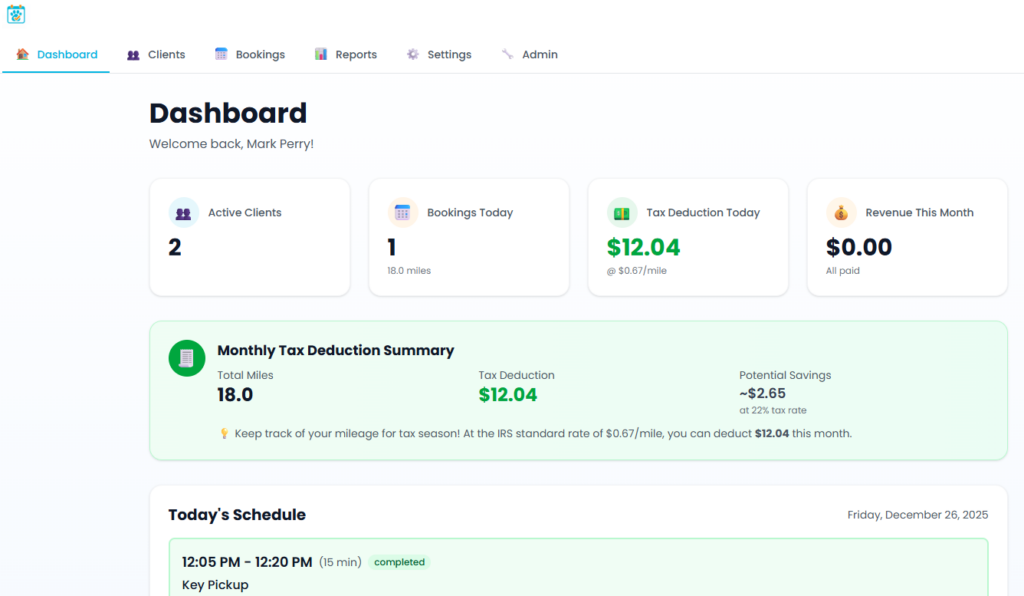#image_title
#### Centralized Client and Service Management
The platform consolidates everything a field service business needs:
- Client profiles with addresses (feeding the automated mileage system)
- Detailed pet/asset records with care instructions
- Booking history and upcoming appointments
- Payment status tracking
This single source of truth replaces scattered text messages, sticky notes, and multiple disconnected apps.
### The Technology: Enterprise-Grade Custom Software Development
Pulse AI Solutions selected a modern, scalable technology stack designed for reliability and performance:
| **Layer** | **Technology** | **Why It Matters** |
| --- | --- | --- |
| Backend | Python + FastAPI | High-performance API framework used by Netflix, Uber, Microsoft |
| Frontend | Next.js 16 + React 19 | Latest web technology for fast, responsive mobile experience |
| Database | Azure SQL | Enterprise-grade security, 99.99% uptime SLA |
| Cloud | Microsoft Azure | Scalable infrastructure with automated deployments |
| AI/APIs | Google Maps Platform | Intelligent location services powering automation |
Mobile-first design ensures the application works seamlessly on phones—critical for businesses where employees work in the field, not at desks.
### Results: Measurable Business Impact from Custom AI Software
The custom software solution transformed daily operations:
| **Before** | **After** |
| --- | --- |
| Manual mileage logging | 100% automated capture |
| Spreadsheet chaos | One-click tax reports |
| Multiple disconnected apps | Single integrated platform |
| Hours of weekly admin work | Minutes |
**Key outcomes:**
- Eliminated hours of weekly administrative tasks
- Captured every deductible mile automatically
- Generated tax-ready reports in seconds
- Consolidated operations into one mobile-accessible platform
### Who Benefits from Custom Business Automation Software?
PawPlannerAI demonstrates what's possible when custom software development meets AI-powered automation. The same approach applies across industries:
#### Field Service Businesses
- HVAC, plumbing, electrical contractors
- Cleaning and maintenance services
- Mobile healthcare providers
- Delivery and logistics operations
#### Professional Services
- Consultants tracking client visits
- Real estate agents managing showings
- Sales teams logging customer meetings
#### Any Business With Mobile Workers
If your team drives between locations and you need to track mileage, time, or client interactions—business process automation can transform your operations.
### Why Choose Custom Software Over Off-the-Shelf Solutions?
| **Off-the-Shelf Software** | **Custom AI Solutions** |
| --- | --- |
| Forces you to adapt your workflow | Built around how you actually work |
| Pay for features you don't use | Every feature serves your needs |
| Limited integration options | Connects to your existing tools |
| Generic automation | AI tailored to your business logic |
| Ongoing subscription bloat | You own the solution |
Custom software development costs more upfront but delivers solutions that fit perfectly—no workarounds, no compromises.
### Frequently Asked Questions
**How long does custom software development take?**
Project timelines vary based on complexity. A focused MVP like PawPlannerAI can launch in 8-12 weeks. Enterprise solutions with complex integrations typically take 3-6 months.
**What does custom business software cost?**
Investment depends on scope and features. Contact Pulse AI Solutions for a free consultation and project estimate tailored to your needs.
**Can you integrate AI into my existing systems?**
Yes. We specialize in adding AI automation to existing business processes—whether that's connecting to your current CRM, accounting software, or building new intelligent features.
**Do you work with small businesses or just enterprise clients?**
Both. We build custom software for small business owners who need focused solutions, as well as enterprise-grade platforms for larger organizations.
### Ready to Automate Your Business with Custom AI Software?
At Pulse AI Solutions, we partner with businesses to identify automation opportunities and build intelligent software that eliminates manual work, reduces errors, and scales with your growth.
**What repetitive tasks are slowing down your business?**Let's find out what AI-powered automation could do for your operations.
[Schedule a Free Consultation ->](https://pulseaisolutions.com/contact-us/)
*PawPlannerAI is live at [pawplannerai.com](https://pawplannerai.com/)*
## Microsoft Build 2025 Recap: AI Agents, Azure AI Foundry, and Developer Tools with Complete Release Timeline
URL: https://pulseaisolutions.com/microsoft-build-2025-recap-ai-agents-azure-ai-foundry-and-developer-tools-with-complete-release-timeline/
Updated: 2026-07-04
> Microsoft Build 2025, held from May 19-22, brought a wave of innovations focused on AI, cloud services, and developer tools. This recap highlights the most significant announcements from the event, organized by category for easy reference.…
- Published: 2025-05-20
- Updated: 2026-07-04
- Author: Mark Perry, founder of Pulse AI Solutions
Microsoft Build 2025, held from May 19-22, brought a wave of innovations focused on AI, cloud services, and developer tools. This recap highlights the most significant announcements from the event, organized by category for easy reference.
### Availability Timeline
Here's a breakdown of when various announced features and products will be available:
#### Available Now (Generally Available)
- GitHub Copilot agent mode
- GitHub Models
- Windows Subsystem for Linux (WSL) as open source
- Command Palette in PowerToys
- Microsoft 365 Agents Toolkit for Visual Studio
- [Microsoft 365 Agents SDK](https://learn.microsoft.com/en-us/microsoftteams/platform/toolkit/toolkit-v4/install-Agents-Toolkit-vs)
- [SQL Server Management Studio 21](https://learn.microsoft.com/en-us/ssms/install/install)
- Azure AI Foundry Agent Service
- Prompt Shields in Azure AI Content Safety
- Microsoft 365 Copilot Wave 2 features (basic version)
#### Available Now (Preview)
- GitHub Copilot coding agent
- App modernization capabilities in GitHub Copilot
- Azure AI Foundry Observability enhancements
- Model Router in Azure AI Foundry
- Agentic retrieval in Azure AI Search
- Global secondary index in Azure Cosmos DB
- PostgreSQL extension for Visual Studio Code
- Microsoft Purview SDK
- Microsoft Planetary Computer Pro
- Windows AI Foundry components
- VBS Enclave SDK
#### Coming in June 2025
- [Microsoft 365 Copilot Tuning](https://www.microsoft.com/en-us/microsoft-365/blog/2025/05/19/introducing-microsoft-365-copilot-tuning-multi-agent-orchestration-and-more-from-microsoft-build-2025/)
- Copilot Search and Copilot Memory
- Data Loss Prevention for Microsoft 365 Copilot (late June)
- Zero onboarding fees for individual developers in Microsoft Store
#### Coming in Summer 2025
- WinGet Configuration
- Edit command-line text editor in Windows Insider Program
#### Coming Soon
- SRE agent (next few weeks)
- Flux Pro 1.1 from Black Forest Labs
- Sora from OpenAI
- SQL Server 2025
- Cosmos DB (NoSQL) in Fabric
- Translator API in Microsoft Edge
- PDF translation in Microsoft Edge (next month)
- MCP on Windows (private developer preview in coming months)
https://youtu.be/ceV3RsG946s
### AI at Work
#### Copilot and Agent Capabilities
- **Copilot Tuning**: Companies can now train Microsoft 365 Copilot on their own data for domain-specific tasks, ensuring tuned models respect permissions of training data. Available in June for customers with 5,000+ Copilot licenses.
- **Agent Collaboration in Teams**: New tools allow developers to build smarter agents for Teams that can:
Communicate securely via the Agent2Agent (A2A) protocol
- Remember user interactions for more personalized experiences
- Participate in Teams meetings for both private and group use
- **Microsoft 365 Copilot Wave 2**: The spring release includes:
Updated Microsoft 365 Copilot app designed for human-agent collaboration
- New Create experience powered by OpenAI GPT-4o for image generation
- Copilot Notebooks for converting content into insights and actions
- Copilot Search and Memory (rolling out in June)
#### Copilot Studio Enhancements
- **Pro-code Features**: New capabilities help developers create more powerful agents with tools like:
Microsoft 365 Agents Toolkit for Visual Studio
- Microsoft 365 Agents SDK for building enterprise-grade, scalable agents
- Agent Store for discovering agents across Microsoft 365 Copilot endpoints
- **Natural Language Building Tools**: New features allow low-code makers to build better agents, including:
Support for multiple agent systems working together
- Model Context Protocol (MCP) support for consistent data access
- Computer use tool for automating UI-based tasks
- Code Interpreter for running Python code within agents
### Azure AI Innovations
#### Azure AI Foundry
- **New Models**: Azure AI Foundry Models expanded with:
Grok 3 from xAI (available now)
- Flux Pro 1.1 from Black Forest Labs (coming soon)
- Sora from OpenAI (coming soon in preview)
- 10,000+ open-source models from Hugging Face
- **Agent Service**: Now generally available, enabling developers to design and deploy enterprise-grade AI agents with features like:
Multi-agent workflows for complex tasks
- Support for open protocols like A2A and MCP
- Integration with knowledge sources like Bing, SharePoint, and Fabric
- AgentOps capabilities for tracing, evaluation, and monitoring
- **Observability Tools**: New tools in preview for monitoring AI applications including:
Built-in metrics for performance, quality, cost, and safety
- Enhanced developer support throughout the agent lifecycle
- Continuous monitoring dashboard for production agents
- **Azure AI Foundry Local**: Bringing AI to Windows and MacOS with:
Local model inferencing
- Model and agent services
- Model playground for efficient local AI development
#### Security Enhancements
- **Content Safety Features**: Several new capabilities including:
Prompt Shields (generally available)
- Task adherence controls (in preview)
- PII detection content filter powered by Azure AI Language
### Database & Analytics
#### Microsoft Fabric and Data Capabilities
- **Cosmos DB in Fabric**: Preview bringing enterprise-grade NoSQL capabilities to Microsoft Fabric, enabling organizations to unify semi-structured operational data with analytical datasets.
- **Chat with Data**: New experiences allow teams to explore data through natural language:
Chat with your data in Power BI - accessible from the left pane
- Fabric data agents integration with Microsoft Copilot Studio
- **Digital Twin Builder**: New capability within Real-Time Intelligence in Microsoft Fabric offering a no-code/low-code interface for creating digital representations of real-world environments.
#### Database Improvements
- **Global Secondary Index in Azure Cosmos DB**: Now in preview, enabling faster queries on subsets of NoSQL data without impacting transactional performance.
- **PostgreSQL Tools**: New capabilities including:
PostgreSQL extension for Visual Studio Code
- GitHub Copilot AI assistance for PostgreSQL
- **SQL Server 2025**: Preview includes:
Advanced semantic search alongside full text search
- Native JSON support and built-in REST API
- Microsoft Entra ID managed identities support
- Zero-ETL real-time analytics with Fabric
### Developer Tools and GitHub
#### Agentic DevOps
- **GitHub Copilot Coding Agent**: Now in preview, allows developers to delegate tasks like refactoring code, improving test coverage, fixing defects, and implementing features.
- **App Modernization**: New capabilities help developers quickly modernize Java and .NET applications:
AI-assisted code assessment and remediation
- Autonomous version upgrade planning and execution
- **SRE Agent**: In preview soon, this agent will automatically respond to production alerts, mitigate issues, and determine root causes, reducing resolution time from hours to minutes.
- **GitHub Models**: Extends AI models from Azure AI Foundry directly to GitHub, enabling developers to experiment with models from OpenAI, Meta, Cohere, Microsoft, and Mistral.
- **Open-source GitHub Copilot Chat**: Microsoft is open-sourcing GitHub Copilot Chat in VS Code, integrating AI-powered capabilities into the VS Code open-source repository.
### Windows Innovations
#### Windows AI Foundry
- **Windows ML**: An evolution of DirectML, offering:
Simplified deployment without needing to package ML runtimes
- Automatic adaptation to new AI hardware
- New tools for model preparation and optimization
- **Foundry Local**: Integrates with model catalogs like Ollama and NVIDIA NIMs:
Rich catalog of ready-to-use open-source models
- Command Line Interface for model interaction
- **Windows AI APIs**: Ready-to-use APIs powered by on-device models:
LoRA for Phi Silica (in preview)
- Knowledge Retrieval for LLMs and Semantic Search (private preview)
#### Developer Experience Improvements
- **Model Context Protocol (MCP) on Windows**: Standardized framework for AI agents to connect with native Windows apps (private developer preview coming soon).
- **App Actions on Windows**: Helps increase app discoverability and engagement by enabling apps to provide functionality to agents.
- **Windows Developer Tools**: Productivity improvements including:
WinGet Configuration for replicating development environments
- Windows Subsystem for Linux (WSL) now open source
- Advanced Windows Settings for easier customization
- Command Palette in PowerToys for accessing commands
### Microsoft Store Updates
- **Zero Onboarding Fees**: Individual developers can publish to Microsoft Store for free starting in June 2025.
- **App Campaigns**: Developers can run campaigns to promote their Windows apps in Microsoft Store and other Microsoft products.
- **Enhanced Health Reports**: New insights into app quality and performance with metrics like crash rate, hang rate, and affected device counts.
### Security Advancements
- **Microsoft Purview SDK**: In preview, providing REST APIs for embedding data security and compliance controls into AI apps.
- **Microsoft Defender for Cloud**: Integration with Azure AI Foundry to provide security insights, including posture recommendations and threat protection alerts.
- **Microsoft Entra Agent ID**: In preview, enabling organizations to assign unique identifiers to AI agents for improved management and security.
- **Post-quantum Cryptography**: Integration of quantum-safe cryptography algorithms in Windows Insiders (Build 27852+) and SymCrypt-OpenSSL.
### Industry and Science
- **Microsoft Planetary Computer Pro**: In preview, allowing customers to deploy geospatial data capabilities within Azure.
- **Microsoft Discovery**: An enterprise agentic platform to accelerate research and discovery using specialized AI agents.
These announcements demonstrate Microsoft's continued focus on AI, agents, and cloud services, with an emphasis on developer productivity, security, and enterprise-ready capabilities across their product ecosystem.
## Anthropic's “Think” Tool: How It Works, Benchmarks, and When to Use It
URL: https://pulseaisolutions.com/anthropics-think-tool-a-game-changer-for-complex-ai-problem-solving/
Updated: 2026-10-20
> Anthropic recently published an insightful article on their Engineering Blog titled "The 'think' tool: Enabling Claude to stop and think in complex tool use situations." This March 20, 2025 piece reveals a simple yet powerful approach that…
- Published: 2025-03-24
- Updated: 2026-10-20
- Author: Mark Perry, founder of Pulse AI Solutions
Anthropic recently published an insightful article on their [Engineering Blog](https://www.anthropic.com/engineering/claude-think-tool) titled "The 'think' tool: Enabling Claude to stop and think in complex tool use situations." This March 20, 2025 piece reveals a simple yet powerful approach that significantly enhances Claude's problem-solving capabilities.
### What Is the "Think" Tool?
The "think" tool gives Claude "the ability to include an additional thinking step—complete with its own designated space—as part of getting to its final answer." While it might sound similar to Claude's extended thinking capability, it serves a different purpose.
While extended thinking focuses on what Claude does before generating a response, the "think" tool allows Claude to pause during response generation to consider whether it has all the information needed to proceed. This makes it particularly valuable for long chains of tool calls or multi-step conversations.
### How Regular Users Can Implement It
Even without developer access, you can apply the principles of the "think" tool in your prompts to Claude. Here's how:
1. **Create a Thinking Space**: Ask Claude to use a specific format (like `...` tags) to show its reasoning process before providing the final answer. Example prompt: "When solving this problem, first use `` tags to work through your approach step-by-step, then provide your final answer outside these tags."
2. **Provide Clear Instructions**: Tell Claude exactly when and how you want it to "think" during complex tasks. Example prompt: "Before making any decisions about this data, I'd like you to use a `` section to analyze the patterns you see, check for inconsistencies, and outline your approach."
3. **Use Domain-Specific Examples**: Like Anthropic's research showed, giving Claude examples of the kind of thinking you expect improves results dramatically. Example prompt: "When reviewing this legal document, use `` tags to check for:
- Contradictions between sections
4. Undefined terms
5. Potential compliance issues with relevant regulations
6. Missing information that might affect interpretation"
7. **Sequential Task Breakdown**: For multi-step problems, instruct Claude to think through each step before proceeding. Example prompt: "For this coding challenge, use `` tags at each step to:
- Analyze what the problem is asking
8. Consider different algorithmic approaches
9. Evaluate tradeoffs between approaches
10. Plan your implementation
11. Check for edge cases before finalizing"
### When to Use It
According to Anthropic's research, the "think" tool delivers the most value in three key scenarios:
1. Tool output analysis - When Claude needs to carefully process the output of previous tool calls
2. Policy-heavy environments - When Claude needs to follow detailed guidelines and verify compliance
3. Sequential decision making - When each action builds on previous ones and mistakes are costly
### Impressive Performance Gains
Anthropic evaluated the "think" tool using ?-bench (tau-bench), a comprehensive benchmark for testing tool use in realistic customer service scenarios. The results were remarkable - in the airline domain, the "think" tool with an optimized prompt achieved a 54% relative improvement over the baseline. Even in the simpler retail domain, the tool delivered noticeable gains without additional prompting.
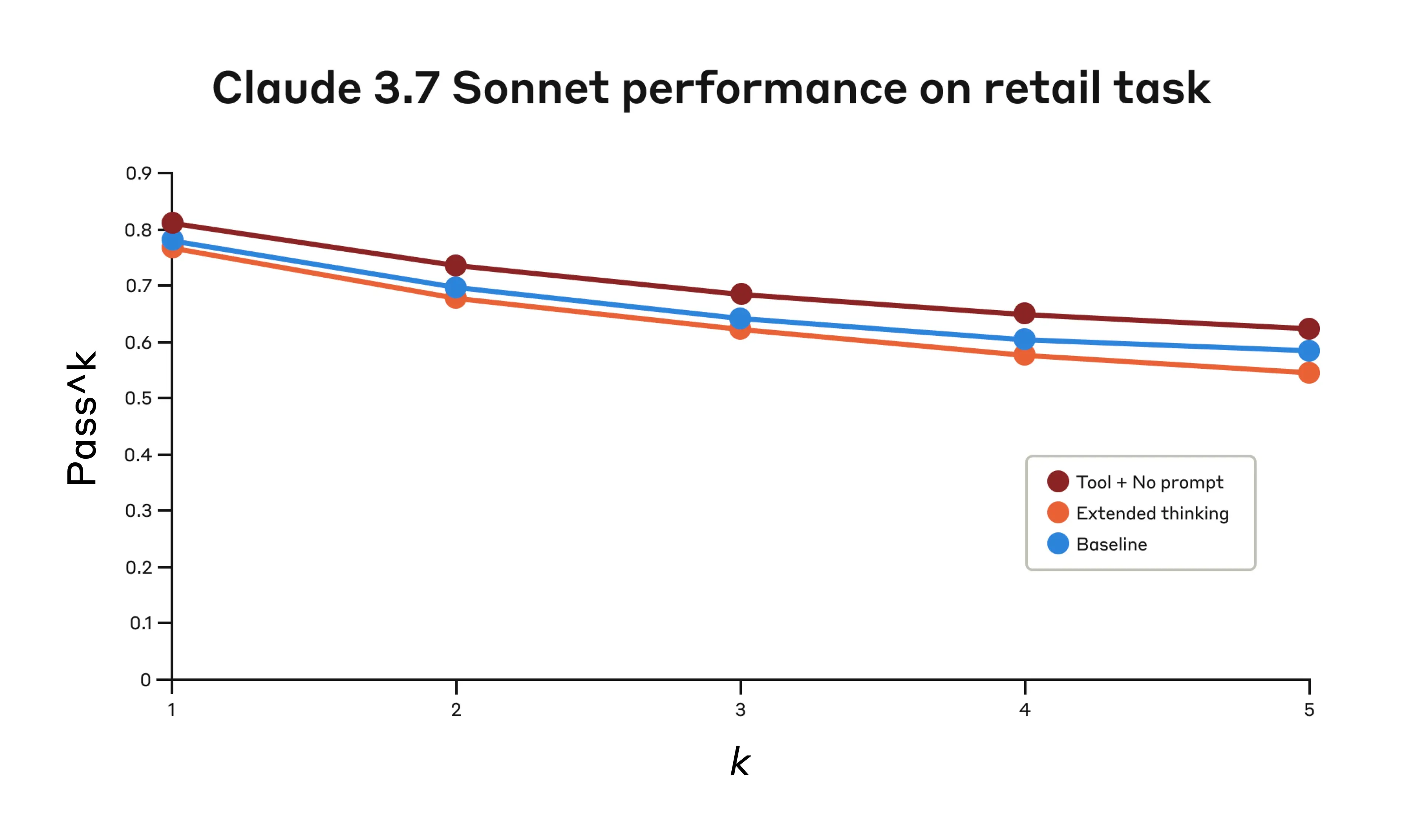
The tool also contributed to Claude 3.7 Sonnet achieving a state-of-the-art score of 0.623 on SWE-Bench, with experiments showing an isolated improvement of 1.6% on average just from adding the "think" tool.
### Our Perspective at Pulse AI Solutions
At Pulse AI, we see the "think" tool as a perfect example of how seemingly simple enhancements can dramatically improve AI reasoning capabilities. This aligns with our philosophy that effective AI solutions don't always require complex architectures—sometimes, they just need thoughtful design that mimics human cognitive processes.
The performance improvements seen in policy-heavy environments are particularly relevant to many of our clients in regulated industries who need AI solutions that reliably follow complex guidelines while maintaining flexibility.
### Final Thoughts
As Anthropic notes, the "think" tool isn't a "one-size-fits-all solution," but it offers "substantial benefits for the correct use cases, all with minimal implementation complexity." It enables more capable, reliable, and transparent AI systems without significant overhead.
We're excited to see how this approach might be applied across different models and use cases. What do you think about giving AI systems dedicated space to think? And how might your organization benefit from AI that takes a moment to carefully consider complex problems before acting?
## AI as a Teammate: New Research Shows How AI Transforms Teamwork
URL: https://pulseaisolutions.com/ai-as-a-teammate-new-research-shows-how-ai-transforms-teamwork/
Updated: 2026-07-04
> In a fascinating new study published by Ethan Mollick and a team of researchers from Harvard's Digital Data Design Institute reveal groundbreaking insights into how AI functions not just as a tool but as a true teammate. Their paper, "The…
- Published: 2025-03-22
- Updated: 2026-07-04
- Author: Mark Perry, founder of Pulse AI Solutions
In a fascinating new study published by [Ethan Mollick](https://open.substack.com/pub/oneusefulthing/p/the-cybernetic-teammate?r=53s299&utm_campaign=post&utm_medium=email) and a team of researchers from Harvard's Digital Data Design Institute reveal groundbreaking insights into how AI functions not just as a tool but as a true teammate. Their paper, "The Cybernetic Teammate," details findings from a large-scale experiment conducted at Procter & Gamble.
### Key Findings from the Research
The study involved 776 professionals at P&G who participated in product development workshops. Teams were randomly created with commercial and technical R&D experts, with some using GPT-4 or GPT-4o and others working without AI.
Here are the most striking discoveries:
1. Performance boost: Individuals working with AI performed just as well as two-person teams without AI. **Teams using AI performed best overall** and were significantly more likely to produce exceptional, top-tier solutions.
2. Efficiency gains: **AI-enabled groups worked 12-16% faster** while producing longer, more detailed solutions.
3. **Expertise boundaries disappeared**: Without AI, specialists stuck to their areas of expertise. With AI, both commercial and R&D professionals produced balanced solutions that integrated multiple perspectives, essentially **erasing specialized silos**.
4. **Experience gap narrowed**: Less experienced employees with AI performed comparably to teams with experienced members, **effectively bridging knowledge gaps**.
5. Improved emotional experience: Contrary to concerns about AI causing workplace stress, **participants using AI reported higher levels of positive emotions** (excitement, energy, enthusiasm) and lower levels of negative emotions like anxiety and frustration.
### What This Means for Organizations
The researchers emphasize that viewing AI as merely a productivity tool is increasingly limiting. Recent data shows users primarily employ AI for critical thinking and complex problem solving, not just routine tasks.
[](https://substackcdn.com/image/fetch/f_auto,q_auto:good,fl_progressive:steep/https%3A%2F%2Fsubstack-post-media.s3.amazonaws.com%2Fpublic%2Fimages%2F6f439719-d6b0-458f-bb0e-0df9796d7025_960x604.png)
Organizations need to shift their perspective and recognize that **AI sometimes functions more like a teammate than a tool**. This requires reconsidering team structures, training programs, and traditional boundaries between specialties.
### Our Perspective at Pulse AI Solutions
At Pulse AI Solutions, we're seeing these findings play out with our clients every day. The research confirms what we've observed: AI doesn't just make individual workers more productive—it fundamentally transforms how teams operate.
The democratization of expertise is particularly exciting. When AI helps bridge knowledge gaps, organizations can be more flexible in how they structure teams and allocate resources. This creates opportunities to leverage diverse perspectives and enables more employees to contribute meaningfully to specialized tasks.
[](https://substackcdn.com/image/fetch/f_auto,q_auto:good,fl_progressive:steep/https%3A%2F%2Fsubstack-post-media.s3.amazonaws.com%2Fpublic%2Fimages%2F016cfda9-0fe0-48ed-991d-f8ea5f2fdbe9_1279x954.png)
### Questions to Consider
1. How might your organization redesign team structures to maximize the benefits of AI as a teammate rather than just a tool?
2. With AI breaking down expertise silos, how could this change career development pathways and skill requirements for your workforce?
AI isn't just changing what we do—it's changing how we work together. And that might be its most profound impact yet.
## How to Turn Off Copilot in Windows 11 (2026 Guide)
URL: https://pulseaisolutions.com/how-to-turn-off-copilot-in-windows-11/
Updated: 2026-07-09
> Need to turn off Copilot in Windows 11? This guide explains how to turn off Copilot from the taskbar, disable it via Group Policy, and modify the Registry. Get rid of Copilot quickly and easily. Key Takeaways To remove Copilot from the…
- Published: 2025-01-22
- Updated: 2026-07-09
- Author: Mark Perry, founder of Pulse AI Solutions
Need to turn off Copilot in Windows 11? This guide explains how to turn off Copilot from the taskbar, disable it via Group Policy, and modify the Registry. Get rid of Copilot quickly and easily.
### Key Takeaways
- To remove Copilot from the taskbar, access Settings > Personalization > Taskbar and toggle off the Copilot option.
- Windows 11 Professional or Enterprise users can disable Copilot permanently through the Group Policy Editor by enabling the ‘Turn off Windows Copilot’ policy.
- Windows 11 Home users can disable Copilot by modifying the registry, ensuring to back up the registry settings before making any changes.
### Remove Copilot from the Taskbar
One of the first places you’ll notice Microsoft Copilot in Windows 11 is the taskbar. The dedicated Copilot icon provides quick access to this AI assistant. If it’s distracting or unnecessary, you can easily remove it by accessing your system settings.
#### Open Settings > Personalization
Open the Settings app by clicking the Start menu and selecting the gear icon, or pressing Windows + I. Then, navigate to the ‘Personalization’ section. This is where you can make various customizations to your Windows experience, including taskbar settings.
Scroll down the left-hand panel in the Personalization menu until you find the ‘Taskbar’ option. Clicking on this will take you to the settings specifically related to the taskbar.
#### Select Taskbar
There are multiple ways to access taskbar settings. Right-click an empty area on your taskbar and select ‘Taskbar settings’ from the context menu to directly access the relevant settings.
You can also open the Settings app from the Start menu or by pressing Windows + I, then navigate to the Taskbar settings manually. Both methods lead to the same settings.
#### Toggle off Copilot
In the Taskbar settings, locate the ‘Taskbar items’ section and turn off the toggle switch for Copilot to remove the button from your taskbar.
This is a quick and effective way to disable copilot completely without diving into more advanced settings.
### Disable Copilot via Group Policy Editor
For those using Windows 11 Professional or Enterprise editions, the Group Policy Editor offers a more permanent solution to disabling Copilot. This method is particularly useful for users who have privacy concerns or prefer a traditional Windows experience without AI assistance.
Disabling Copilot through the Group Policy Editor ensures that the feature is completely turned off and won’t reappear unless you change the settings back.
#### Access Group Policy Editor
Open the Start menu and type ‘gpedit’ in the search bar, then press Enter. Click on the Group Policy Editor in the search results to open it.
Once the Group Policy Editor is open, you’ll be able to make changes to various system settings, including those related to find copilot and embedded copilot.
#### Navigate to User Configuration > Administrative Templates > Windows Components
Navigate to User Configuration > Administrative Templates > Windows Components > Windows Copilot to find the specific settings for disabling Copilot.
This section contains the necessary policy settings to turn off Windows Copilot, ensuring you make changes in the right place within the Group Policy Editor.
#### Double-click Turn Off Windows Copilot
In the Windows Copilot settings, locate the windows copilot policy named ‘Turn off Windows Copilot’.
Double-click this policy to open its properties window and modify the settings to disable Copilot.
#### Enable the Policy and Apply Changes
In the policy settings window, select ‘Enabled’ to activate the policy that disables Copilot. Click ‘Apply’ and then ‘OK’ to save your changes.
Reboot or log off your system to ensure the changes take effect, completing the process of disabling Copilot through the Group Policy Editor.
### Disable Copilot through Registry Editor (Windows 11 Home)
If you are using Windows 11 Home, the Group Policy Editor is not available. However, you can still disable Copilot by modifying the registry. This method involves a bit more caution as changes to the registry can impact the system significantly. Therefore, follow the steps carefully.
#### Backup Your Registry
Before modifying the registry, back up your current settings to avoid unintended consequences. Open the Registry Editor, select ‘File’ from the menu, and choose ‘Export’.
Choose a location to save your backup file and name it appropriately. This backup will allow you to restore the registry to its previous state if something goes wrong.
#### Open Registry Editor
Press Windows + R to open the Run dialog, then type ‘regedit’ and hit Enter to open the Registry Editor.
This will open the Registry Editor, where you can modify the necessary keys to disable Copilot.
#### Modify Registry Keys
Navigate to HKCUSoftwarePoliciesMicrosoftWindows in the Registry Editor. Create a new key or modify the existing settings to completely disable copilot.
Locate the necessary registry key and change its value to disable Copilot. Be sure to follow these steps carefully to ensure you make the correct modifications.
### Hide Copilot in Microsoft Edge
Even if you’ve disabled Copilot on your system, you might still encounter it in Microsoft Edge. To ensure a distraction-free browsing experience, you can hide the microsoft edge copilot button in Edge settings.
#### Access Edge Settings
Open Microsoft Edge and click on the three dots in the upper-right corner. Select ‘Settings’ from the dropdown menu to access the settings menu.
#### Disable Copilot Button
Navigate to the ‘Appearance’ section in the settings menu. Toggle off the option to show the Copilot button to remove it from the Edge toolbar.
Restart your browser after making this change to ensure the Copilot button is no longer visible, providing a cleaner browsing experience.
### Using Keyboard Shortcuts
While disabling Copilot through various settings, you might still find that some keyboard shortcuts associated with physical copilot keys remain active.
Managing these shortcuts can further streamline your user experience.
#### Common Shortcuts
Windows 11 offers several common keyboard shortcuts that enhance productivity, such as ‘Windows key + D’ to display or hide the desktop and ‘Alt + Tab’ to switch between open applications.
Other useful shortcuts include ‘Windows key + E’ to open File Explorer and ‘Windows key + L’ to lock your screen. Familiarizing yourself with these can improve navigation efficiency.
#### Disabling Shortcuts
Navigate to the settings app to customize your keyboard settings and disable or remap shortcuts that you don’t find useful or that conflict with other software.
Even after disabling Copilot, some shortcuts like Win + C might still open it. Modifying these shortcuts ensures a smoother experience and prevents accidental activation of the AI assistant.
### Summary
Disabling Copilot in Windows 11 can help create a more streamlined and personalized user experience. By following the steps outlined, from removing the taskbar icon to modifying registry settings, you can ensure that Copilot is completely disabled on your system.
Tailoring your system to your needs not only enhances productivity but also provides a more comfortable and familiar environment. We hope this guide has been helpful in navigating the various methods to disable Copilot.
### Frequently Asked Questions
#### Can I re-enable Copilot after disabling it?
Yes, you can re-enable Copilot by reversing the steps taken to disable it through the settings, Group Policy Editor, or Registry Editor.
#### Is it safe to modify the registry to disable Copilot?
It is safe to modify the registry to disable Copilot, provided that you back up your registry beforehand. Taking this precaution will help prevent any potential issues.
#### Will disabling Copilot affect other Windows 11 features?
Disabling Copilot will not affect other features of Windows 11, as it solely removes the AI assistant functionality. You can continue using all other features without any impact.
#### Can I disable Copilot on Windows 11 Home?
Yes, you can disable Copilot on Windows 11 Home by using the Registry Editor. This allows you to customize your system according to your preferences.
#### Are there any shortcuts to quickly disable Copilot?
There are no direct shortcuts to disable Copilot; however, you can utilize keyboard shortcuts to swiftly access the settings for disabling it.
## Leveraging AI to Streamline Your Voicemail System and Boost Productivity
URL: https://pulseaisolutions.com/leveraging-ai-to-streamline-your-voicemail-system-and-boost-productivity/
Updated: 2026-07-04
> At Pulse AI Solutions, we're always looking for ways to harness the power of AI to simplify daily tasks and increase efficiency. One area where AI can make a significant impact is in your company's voicemail system. In this article, we'll…
- Published: 2024-05-29
- Updated: 2026-07-04
- Author: Mark Perry, founder of Pulse AI Solutions
At Pulse AI Solutions, we're always looking for ways to harness the power of AI to simplify daily tasks and increase efficiency. One area where AI can make a significant impact is in your company's voicemail system. In this article, we'll share how we used AI to streamline our own voicemail system and provide you with a step-by-step guide to do the same for your organization.
https://youtu.be/JjYO2J73d4A
**Step 1:** Generating Voicemail Scripts with ChatGPT The first step in automating your voicemail system is to create the scripts. We used ChatGPT, an AI-powered language model, to generate customized scripts for our phone system. By providing ChatGPT with specific requirements, such as creating scripts for different extensions (e.g., sales, support) and focusing on guiding callers to leave a message or send an email, the AI generated professional and tailored scripts in a matter of seconds.
**Step 2:** Converting Text to Speech with Eleven Labs Once you have your voicemail scripts, the next step is to convert them into audio files. We used Eleven Labs, a website that utilizes AI to convert text to speech. Eleven Labs offers a wide range of AI-generated voices, allowing you to select the one that best represents your brand. When preparing your scripts for text-to-speech conversion, be sure to format them correctly, particularly when it comes to email addresses or other specific information, to ensure the AI reads them accurately.
**Step 3:** Personalizing Your Voicemail with Voice Cloning To add a personal touch to your voicemail system, consider using Eleven Labs' voice cloning feature. This allows you to create an AI-generated version of your own voice, which can be used for your personal voicemail message. Our founder and CEO, Mark Perry, used this feature for his voicemail, demonstrating how AI can help create a unique and personalized experience for callers.
**Step 4:** Implementing Your AI-Enhanced Voicemail System Once you have your AI-generated voicemail scripts and audio files, it's time to implement them into your phone system. Many phone systems, like Grasshopper, allow you to easily upload MP3 files for your voicemail messages. Simply replace your existing voicemail messages with the AI-generated ones, and you're ready to go.
By leveraging AI to automate your voicemail system, you can save time, increase productivity, and ensure a consistent, professional experience for your callers. At [Pulse AI Solutions](https://pulseaisolutions.com/), we're committed to exploring innovative ways to use AI to streamline processes and help businesses focus on what matters most – their customers and their team.
If you'd like to learn more about how AI can help your business, don't hesitate to reach out to us. We're always happy to share our knowledge and experience to help you unlock the full potential of AI for your organization.
## Leveraging AI to Streamline Web Development: A Case Study with ChatGPT and WordPress Forms
URL: https://pulseaisolutions.com/leveraging-ai-to-streamline-web-development-a-case-study-with-chatgpt-and-wordpress-forms/
Updated: 2026-07-04
> In today's fast-paced digital landscape, web developers are constantly seeking ways to enhance their efficiency and productivity. At Pulse AI Solutions, we understand the importance of staying ahead of the curve by leveraging cutting-edge…
- Published: 2024-05-29
- Updated: 2026-07-04
- Author: Mark Perry, founder of Pulse AI Solutions
In today's fast-paced digital landscape, web developers are constantly seeking ways to enhance their efficiency and productivity. At Pulse AI Solutions, we understand the importance of staying ahead of the curve by leveraging cutting-edge technologies like artificial intelligence (AI) to streamline our development processes. In this article, we'll explore a recent case study where we used ChatGPT, an advanced AI language model, to quickly and easily add a county dropdown menu to a WordPress form.
https://youtu.be/BPldTdwUsT8
#### The Challenge
One of our clients approached us with a simple request: to add a county dropdown menu to a web form on their WordPress site. While this task may seem straightforward, manually searching for and inputting all the counties in a given state can be time-consuming and prone to errors. We knew there had to be a more efficient way to tackle this challenge.
#### The Solution
Enter ChatGPT, a powerful AI tool that has revolutionized the way we approach web development tasks. By leveraging ChatGPT's natural language processing capabilities, we were able to generate a complete list of counties for the required state in a matter of seconds. Here's how we did it:
1. We prompted ChatGPT with a simple request: "Give me the list of all the counties in Maryland."
2. ChatGPT quickly generated a formatted list of all the counties in Maryland, ready to be copied and pasted into our WordPress form.
3. We easily integrated the generated list into the form's dropdown menu using the "Add Choices" feature, which allows for bulk addition of options.
4. Finally, we customized the dropdown menu settings, such as making it a required field and adding a default "Select one" option.
#### The Result
By using ChatGPT to generate the county list, we were able to complete the client's request in a fraction of the time it would have taken using traditional methods. This not only boosted our efficiency but also ensured accuracy and completeness in the data entry process. The client was thrilled with the quick turnaround time and the seamless integration of the county dropdown menu into their web form.
#### The Bigger Picture
This case study is just one example of how AI can be leveraged to streamline web development processes. By incorporating tools like ChatGPT into our workflow, we can significantly enhance our efficiency, productivity, and accuracy across a wide range of tasks, from data entry to code generation and beyond.
At [Pulse AI Solutions](https://pulseaisolutions.com/), we are committed to staying at the forefront of AI-driven web development. We believe that by embracing these cutting-edge technologies, we can deliver better results for our clients, stay ahead of the competition, and ultimately grow our business.
If you're interested in learning more about how AI can be integrated into your web development projects, we invite you to reach out to our team at Pulse AI Solutions. We'd be happy to discuss your specific needs and explore how our AI-powered solutions can help you achieve your goals.
## How AI Assisted Me in Finding the Best Doctor for My Wife's Multiple Myeloma Treatment
URL: https://pulseaisolutions.com/how-ai-assisted-me-in-finding-the-best-doctor-for-my-wifes-multiple-myeloma-treatment/
Updated: 2026-07-04
> When my wife was diagnosed with multiple myeloma, a rare blood cancer, in February 2024, our world turned upside down. After spending weeks in the hospital, including a frightening stint in the ICU, we were left grappling with the…
- Published: 2024-05-29
- Updated: 2026-07-04
- Author: Mark Perry, founder of Pulse AI Solutions
When my wife was diagnosed with multiple myeloma, a rare blood cancer, in February 2024, our world turned upside down. After spending weeks in the hospital, including a frightening stint in the ICU, we were left grappling with the challenges of finding the best treatment options for her condition.
https://youtu.be/bjTwAt3YTvk
As a believer in the power of technology, I turned to AI for help. I created a custom GPT model called "Myeloma Guide" to gather information and insights about multiple myeloma and its treatment. When it came time to choose a doctor for my wife's stem cell transplant, I once again leveraged the power of AI.
Using the Myeloma Guide, I asked for information about doctors specializing in multiple myeloma treatment at the University of Maryland Medical Center (UMMC) and Johns Hopkins Hospital. The AI provided detailed information about several doctors, including Dr. Aaron Rapaport from UMMC and Dr. Carol Ann Huff from Johns Hopkins.
To make an informed decision, I asked the AI to compare the expertise and research focus of Dr. Huff and Dr. Rapaport. The AI's analysis highlighted Dr. Huff's specialized focus on multiple myeloma, her involvement in developing innovative treatment strategies, and her leadership in clinical trials targeting cancer stem cells and recurrence.
Based on the AI's insights, we confidently chose Dr. Carol Ann Huff for my wife's stem cell transplant. Remarkably, a friend later informed us that Dr. Huff was scheduled to speak at a multiple myeloma support group just before our appointment - a moment that felt like a sign from above.
This experience taught me the incredible potential of AI as a tool to help us navigate complex and emotionally challenging situations. By thinking creatively and leveraging AI for research and analysis, we can access the information we need to make informed decisions and feel more empowered in the face of adversity.
I believe that AI has the power to transform not only the healthcare industry but also our personal lives. Whether you're facing a health crisis, conducting research, or simply trying to have a difficult conversation, AI can serve as a valuable resource and guide.
As we continue to develop and refine AI technologies, it's essential that we explore the many ways in which they can benefit our lives. At Pulse AI Solutions, we are committed to harnessing the power of AI to help our clients overcome challenges, make informed decisions, and achieve their goals.
If you're curious about how AI can assist you in your own life or business, we invite you to reach out to us. Our team is dedicated to helping you leverage the latest AI technologies to drive success and navigate even the most difficult of circumstances.
## Revolutionizing Class Presentations with AI: Teacher Assist AI and Slideswizard.io
URL: https://pulseaisolutions.com/revolutionizing-pe-class-presentations-with-ai-teacher-assist-ai-and-slideswizard-io/
Updated: 2026-07-04
> As a company dedicated to providing cutting-edge AI solutions, Pulse AI Solutions is excited to introduce a powerful combination of tools designed to help high school PE teachers create engaging and informative presentations in record…
- Published: 2024-05-29
- Updated: 2026-07-04
- Author: Mark Perry, founder of Pulse AI Solutions
As a company dedicated to providing cutting-edge AI solutions, Pulse AI Solutions is excited to introduce a powerful combination of tools designed to help high school PE teachers create engaging and informative presentations in record time. By leveraging the capabilities of Teacher Assist AI and [Slideswizard.io](https://slideswizard.io/), educators can now focus on delivering valuable content to their students without the time-consuming task of creating presentations from scratch.
[Teacher Assist AI](https://chatgpt.com/g/g-AZZ6x3Kgt-teacher-assist-ai), a custom AI solution available in the ChatGPT store for plus members, is the perfect starting point for PE teachers looking to generate ideas for their class presentations. With a simple prompt, such as "I need to create a presentation for high school PE students," Teacher Assist AI generates a list of 20 relevant topic ideas. This feature allows teachers to quickly select a subject that will captivate their students and provide them with the knowledge they need to lead healthy, active lives.
In the video, we demonstrate the process by selecting the topic "The role of sleep in fitness" from the generated list. Once the topic is chosen, Slideswizard.io takes center stage. This innovative tool seamlessly integrates with both Google Slides and PowerPoint, making it accessible to teachers regardless of their preferred presentation software. While Microsoft is developing a similar feature called Copilot for PowerPoint, Slideswizard.io offers an excellent alternative that is available now.
Using Slideswizard.io is incredibly user-friendly. Teachers simply input their chosen topic, select a template, specify the number of slides (up to eight in this example), and identify their target audience. Within just 30 seconds, the tool generates a professional-looking presentation that is ready to be delivered to students.
The generated presentation covers crucial aspects of sleep and fitness, including the science of sleep and recovery, the impact of sleep on muscle growth and athletic performance, tips for improving sleep quality, and debunking common sleep myths. The slides are enhanced with relevant images to keep students engaged and interested throughout the presentation.
While the free version of Slideswizard.io includes watermarks and limits the ability to export the presentation, teachers can unlock the full potential of the tool by choosing the pay-per-presentation option at just $2.50 per presentation. This allows them to download and customize their slides to perfectly suit their needs and teaching style.
By combining the power of Teacher Assist AI and Slideswizard.io, high school PE teachers can save valuable time and create presentations that will captivate and inform their students. Pulse AI Solutions is proud to offer these tools as part of our commitment to empowering educators with the latest AI technologies.
As we continue to develop and refine our AI-powered solutions for teachers, we invite educators to explore the possibilities offered by Teacher Assist AI and Slideswizard.io. By embracing these tools, teachers can revolutionize the way they create and deliver presentations, ultimately providing their students with an unparalleled educational experience.
At Pulse AI Solutions, we are dedicated to supporting teachers in their mission to inspire and educate the next generation. We believe that by harnessing the power of AI, we can help educators work smarter, not harder, and make a lasting impact on the lives of their students.